


Cronometer App
✓ Verified AppCronometer is a nutrition tracking and health monitoring app that helps users track calories, macronutrients, vitamins, minerals, hydration, and fitness data. Unlike many calorie-counting apps, it focuses on detailed nutritional analysis using verified food databases, making it popular among health-conscious users, athletes, fitness enthusiasts, and people following specialized diets.
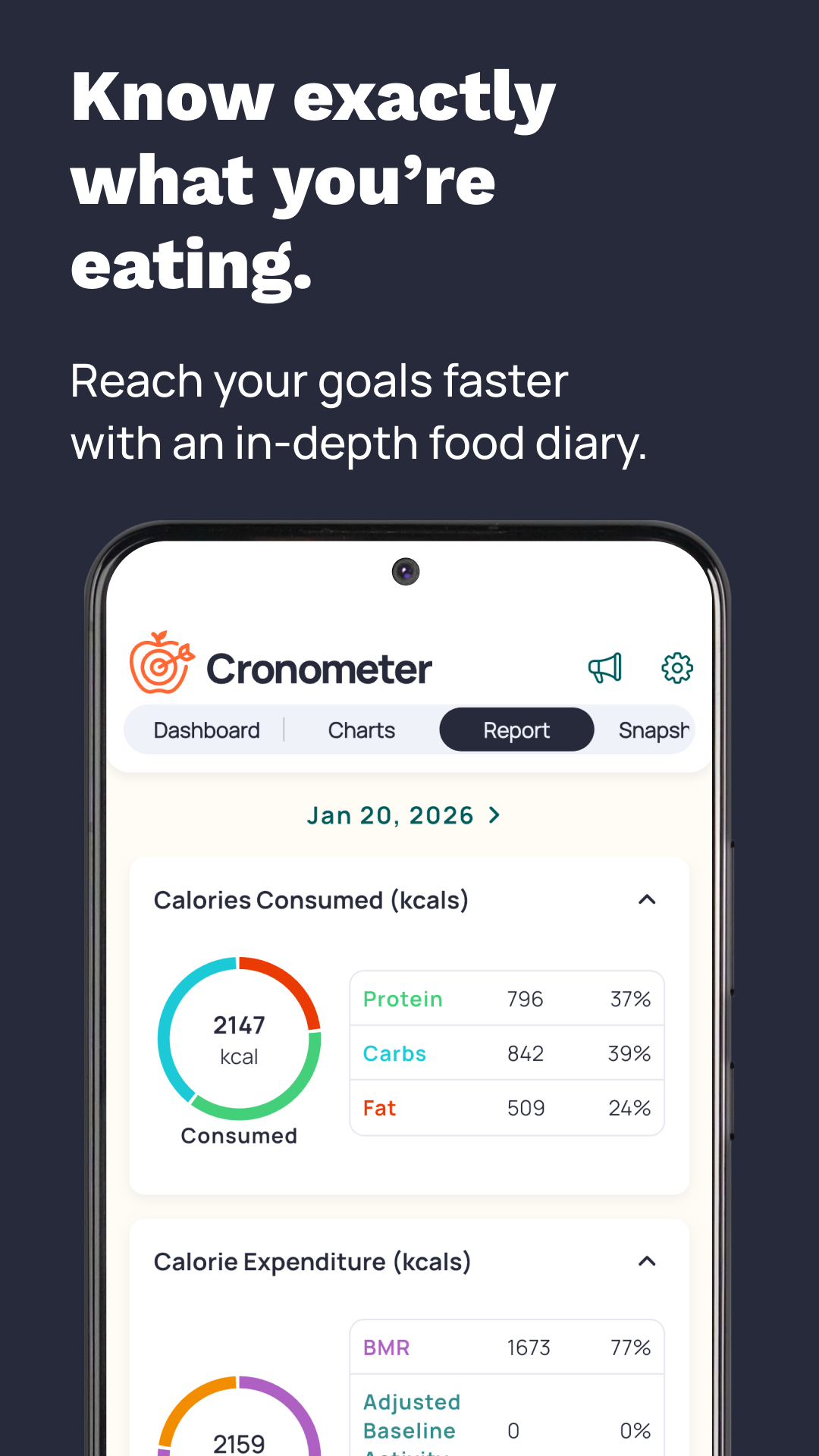
Cronometer is a comprehensive health and nutrition tracking app available on the web, iOS, and Android. It’s designed for anyone who wants precise insight into their diet – from the casual dieter to athletes and healthcare professionals. Users can log foods, scan barcodes for packaged items, or even snap photos/voice records of meals to automatically capture nutritional data.
Unlike basic calorie counters, Cronometer’s food database is verified and lab-analyzed (over 1.1 million entries), ensuring accurate macro- and micronutrient values. The app tracks up to 95 nutrients, including vitamins, minerals, and amino acids. This makes it valuable for people on special diets (keto, vegan, etc.), those managing health conditions, or anyone wanting to spot nutrient gaps in their intake.
Since its launch in 2005, it has grown to millions of users worldwide. (As of 2026, it has 13–17 million registered users.) Its popularity stems from data accuracy and depth: many dietitians and fitness experts cite Cronometer’s detailed nutrient tracking and clean database as a major advantage over other apps. The app is also featured in health publications like Healthline and CNET, highlighting its reputation in the wellness community.
Quick Information Table
| Developer: | Cronometer Software Inc. | Category: | Health & Fitness (Nutrition Tracker) |
| Platforms: | Android, iPhone (iOS), iPad, Web | Current Version: | (Latest from App Store/Play, updated Jun 17, 2026) |
| Initial Release: | 2005 | Pricing: | Free (ads); Cronometer Gold $10.99/mo or $59.99/yr |
| Availability: | Worldwide | Languages: | English |
| Security: | HIPAA/GDPR/CCPA compliant; encryption & data controls | Official Website: | cronometer.com |
| Help Center: | support.cronometer.com | Last Reviewed: | June 2026 |
Cronometer App Statistics
Users: 17+ million (global registrations).
Downloads: 5M+ installs on Google Play (iOS downloads not publicly listed, but App Store rating count ~93K).
Availability: Worldwide (App Stores in the US, Canada, EU, etc.).
Supported Countries: Over 100+ countries (available wherever Google Play or the Apple Store operates).
Developer: Cronometer Software Inc. (Revelstoke, British Columbia, Canada).
Release Year: 2005.
Supported Platforms: Android, iOS (iPhone/iPad, Watch), Web.
What is the Cronometer App?
Cronometer app is a health & fitness app that functions as a calorie counter and nutrition tracker. It allows you to log foods and exercises to monitor daily calorie intake and expenditure. The core strength of this app is its precision: it provides macronutrient (calories, protein, carbs, fats) tracking and an unusually detailed breakdown of micronutrients (vitamins, minerals, amino acids).
When you enter foods (by search, barcode, photo, or voice), the app calculates exact nutrient values based on its curated database. The data sources include trusted databases like USDA and lab-analyzed food entries. Every food entry shows a complete nutrition profile, helping users not just count calories but also ensure they meet essential nutrient targets. For example, it tracks vitamin D, iron, omega-3s, etc., so you can spot and correct deficiencies over time.
The app also supports goal-based tracking. You set personal details (age, weight, activity level, weight goals), and it generates calorie and nutrient targets. It then visualizes your progress with charts and reports. Unlike simpler apps, its reports and charts are highly customizable. Users can compare their intake over days or weeks, view macro/micro trends, and even use advanced features like nutrition scores to gauge diet quality.
In summary, the Cronometer app is more than a step-by-step calorie counter – it’s a detailed nutrition dashboard. It’s ideal for anyone who wants to dig deep into the data: professional athletes optimizing performance, patients tracking micronutrient intake, and everyday users aiming for long-term health through informed eating.
Key Features
- Extensive Food Database: The app’s database includes over 1.1 million verified food items, many of which are lab-analyzed. This avoids the guesswork found in crowd-sourced databases. Users can also create custom foods, meals, and recipes.
- Micronutrient Tracking: Tracks up to 95 nutrients, far beyond basic apps. Along with calories and macros, you can monitor vitamins (A, C, D, E, B complex), minerals (iron, magnesium, zinc, etc.), amino acids, fatty acids (omega-3s), and more. It can highlight deficiencies or excesses to help you adjust your diet.
- Macro Targets and Diet Support: Set custom macro and calorie goals. The app lets you define protein, carb, and fat targets in grams or percentages (even in the free version). Specialized diet tools include a keto macro calculator and fixed targets for special diets.
- Food Logging Options: Four ways to log: Search, Barcode Scanner (free in basic version), Photo Logging, and Voice Logging. The photo/voice logging uses AI to recognize foods and estimate portions, then pulls data from the verified database.
- Barcode Scanner: Quickly log packaged foods by scanning barcodes. Unlike some apps where this is premium-only, the Cronometer app includes barcode scanning in the free version.
- Fasting Tracker: Built-in fasting mode tracks intermittent fasting windows alongside food intake. You can start/stop fasts, and the app calculates how fasting impacts your calorie and nutrient totals.
- Integration with Devices: Syncs with wearables and health services. It connects to Apple Health (including Apple Watch), Google Fit/Health Connect, Fitbit, Garmin, Oura Ring, WHOOP, Dexcom CGM, Samsung Health, and more. It can import exercise, steps, heart rate, sleep data, etc., to adjust calorie budgets and show how activity affects your nutrition.
- Reports & Charts: Advanced charts and reports visualize your data. Create custom charts to see trends (e.g., nutrient intake over time, fasting vs calorie intake). Cronometer Gold (premium) adds fully customizable reports and nutrition scores to highlight diet quality.
- Gold (Premium) Features: A paid Gold subscription unlocks extras: ad-free experience, enhanced photo/voice logging, recipe importer (paste URLs to auto-create recipes), “repeat items” to auto-populate diaries, macro scheduler (different macro targets by day), custom biometrics, unlimited history, nutrition scores (eight different ones), nutrient food suggestions (Oracle Search), and PDF export of reports.
Supported Devices
- Android Phones & Tablets: Android app (Google Play) supports phones and tablets with Android OS.
- iPhone & iPad: iOS app supports iPhone and iPad (optimized for mobile use; not officially on macOS).
- Apple Watch: Cronometer offers an Apple Watch companion app, letting you log foods and check stats from your wrist. (Data syncs with the iPhone app via Health.)
- Wear OS & Samsung Watches: Integrates with Wear OS and Samsung Health. You can log to Cronometer from Wear OS devices and sync activity data.
- Web (Windows/Mac/Linux): The app’s full functionality is available via any modern web browser at cronometer.com. This web version is synced with mobile apps in real time, enabling use on Windows PCs, Macs, and Linux desktops.
- Smart Devices: Syncs indirectly with smart devices via integrations (e.g., pedometers, glucose monitors). There is no native Cronometer app for TVs.
Note: This app does not have a standalone Windows or macOS desktop app; users access it via a browser on computers.
How to Download the Cronometer App?
- Android: Open the Google Play Store on your device, search for this app, and install.
- iPhone/iPad: Open the Apple App Store, search, and download.
- Web (Desktop/Laptop): Go to cronometer.com and sign up. The web interface works without downloading anything.
- Official Sources Only: Always download or access the app from the official websites or stores listed above to ensure authenticity and security. Links are provided above for convenience.
How to Set Up the Cronometer App?
- Install and Create Account: After downloading, open the app and tap Sign Up. Enter your email and a secure password. Verify your email via the link sent to you.
- Enter Personal Details: The app will ask for height, weight, age, sex, and activity level. Enter these accurately; they determine your baseline calorie targets.
- Set Goals: Choose your goal (weight loss, gain, or maintenance). Use the slider to adjust daily calorie targets for losing or gaining weight at your chosen rate.
- Macronutrient Targets (Optional): Under Settings (More → Targets), customize your macro and micronutrient targets. You can set protein, carb, and fat targets in grams or percentages. These fine-tune the app’s guidance.
- Connect Integrations: In Settings, link any fitness trackers or health apps you use (e.g., Fitbit, Apple Health, Garmin). This imports activity and weight data automatically.
- Familiarize with Interface: Learn how to add data: tap the orange + button to add foods, exercise, biometrics, or notes. Review the Dashboard and Diary tabs.
- Explore Premium (Optional): If you subscribe to Cronometer Gold, the premium features activate. You can always upgrade later from within Settings.
Once set up, the Cronometer app is ready to log your meals and activities and track your nutrition in real time.
How to Use the Cronometer App?
Logging Food: Go to the Diary tab and tap + to add foods. You can search the database for an item, scan a barcode, snap a photo (Gold users only), or speak the food (voice logging). Enter quantities (It lets you log exact weights, not just portion guesses). Confirm the entry, and the app will display its full nutritional breakdown.
Custom Recipes: To log homemade meals, use the Recipes feature. Add ingredients and their amounts; the app calculates the per-serving nutrients. Gold users can even import recipes from webpages.
Tracking Exercise: In the same + menu, add exercises or sync your fitness tracker. It will deduct calories burned and show net calories.
Viewing Data: The top of the Diary screen shows summary bars (protein, carbs, fat, calories). Tap these bars for daily reports with macro and micronutrient details. The Trends/Charts tab lets you view historical data, such as nutrient trends or weight changes over weeks or months.
Stay Organized: You can group diary entries, mark favorites, and add notes to entries (e.g., describe a meal). The mobile app also has home screen widgets (Android and iOS) for quick tracking (be sure they update each day properly).
Gold Features: Gold subscribers have extra tools:
- Photo/Voice Logging: Faster logging by snapping or speaking meals.
- Nutrition Scores: View aggregate scores summarizing diet quality in key areas.
- Macro Scheduler: Set different macro goals for each day of the week.
- Fasting Timer: Track intermittent fasts directly in the diary.
- Custom Charts & Reports: Create advanced charts of any nutrient or biomarker over any time range.
- Meal Automation: “Repeat Items” lets you schedule foods or meals to log on specific days.
- Recipes Sharing: Share custom foods and recipes with friends.
Take your time exploring each tab (Diary, Trends, Foods, etc.) to see all of Cronometer’s features. The app’s interface is functional and data-rich, so check the Help Center articles or community forum for guidance on any feature.
Common Uses
Cronometer app is used in diverse real-world scenarios:
- Weight Management: Many users (weight loss or gain) rely on it to track calories and macros precisely. The app helps identify if they are undereating or missing key nutrients while dieting. For example, a weight-loss user can monitor protein intake to preserve muscle while losing weight.
- Athletic Training: Athletes and bodybuilders use it to fine-tune nutrition. By tracking exact macros and micros, they ensure optimal fueling and recovery. Cronometer’s precise database lets them log food weights directly (no guesswork).
- Special Diets: Vegans, keto followers, or people on doctor-prescribed diets benefit from micronutrient tracking. It’s easy to see if a vegan diet covers vitamin B12 or iron. Cronometer’s Oracle search can even suggest foods to fill nutrient gaps.
- Health Monitoring: People with conditions like diabetes, hypertension, or nutrient deficiencies use this app to log carbs, sugars, or sodium and keep them within targets. The detailed nutrition scores and reports can highlight diet improvements over time.
- Research and Professional Use: Dietitians and coaches sometimes use this app (or its Pro version) to analyze client data. The ability to export data and generate reports means it can supplement professional dietary planning.
- Wellness Enthusiasts: Even casual users who just want a healthier diet use it to raise awareness. Logging daily intake makes one more mindful about consuming enough vegetables, fiber, or staying hydrated.
In summary, the Cronometer app serves anyone from “just curious” users to professionals, for tasks ranging from simple calorie counting to in-depth nutritional analysis.
Pricing
Cronometer offers both a free version and a premium subscription (Cronometer Gold):
- Free Version: Full-featured with ads. Includes: logging foods, barcode scanner, macro/micronutrient tracking (up to 95 nutrients), exercise and biometrics logging, charts (limited to 7-day windows), and syncing with devices. The free tier is ad-supported (as noted in reviews).
- Cronometer Gold (Premium): A monthly or annual subscription unlocks extra features and an ad-free experience. Gold includes AI Photo & Voice Logging, unlimited charts/reports (longer history), custom charts, recipe importer, nutrition scores, Oracle nutrient search, macro scheduling, fasting timer, food automation, and more.
- Pricing: $10.99 per month (monthly plan) or $59.99 per year (works out to $4.99/mo). (Prices are USD and subject to change.)
- Trial: Cronometer has offered a 30-day free trial in the past, and occasional promotions may appear on the website.
- Cronometer Pro: (For dietitians and professionals) – separate plans with client management features (beyond the scope of this guide).
- In-App Purchases: Besides Gold, there are no other in-app purchases. All nutrient data is available in the free version.
- Subscription Management: Subscriptions auto-renew. You can manage or cancel Gold via your App Store or Play Store account settings.
Overall, Cronometer’s free tier is more generous than many competitors’, and its premium plan is modestly priced for the advanced features offered.
Privacy & Security
The app places a strong emphasis on privacy and data security:
- Data Use: It does not sell personal data. It adheres to strict privacy standards (HIPAA, GDPR, CCPA). User personal data is protected and never shared with advertisers.
- Encryption: All data in transit is encrypted. Server infrastructure is secure, with regular audits and updates to ensure compliance with industry best practices.
- User Control: Users can export or delete their data at any time. The app allows bulk deletion of diary entries or even full account deletion. (Note: deleting an account also deletes any Gold subscription on record.)
- Permissions: On mobile, the Cronometer app may request permissions like Bluetooth (for device sync) or Camera (to use barcode/photo logging). It does not require unnecessary permissions.
- Privacy Controls: In Account Settings, users can toggle preferences for personalized ads or communications. For example, you can opt out of in-app ad personalization. The app policies are transparent in its Privacy Policy.
- Safety Features: There are no social features within the app itself, reducing privacy concerns. The community support channels (forums, Reddit) are separate and opt-in.
- Official Statement: Cronometer explicitly states it “will never sell your personal data” and exceeds standard privacy frameworks.
Pros & Cons
| Pros | Cons |
| 1.1M verified foods ensure accurate macro/micronutrient tracking. | It can be overwhelming for beginners due to the depth of data. |
| Tracks ~80–95 nutrients, more than most apps. | The free tier includes ads that some users find intrusive. |
| HIPAA/GDPR-compliant, no data selling, encrypted data. | No built-in social network or challenges (unlike some competitors). |
| Macro targets, barcode scanning, diet logging, and basic charts are included at no cost. | Only web and mobile; must use a browser on computers (no desktop app). |
| Interface changes are rare; data is consistent over time. | Advanced features require a Gold subscription (though it’s reasonably priced). |
| Syncs with most fitness trackers (Fitbit, Apple Health, Garmin, etc.). | Design is functional but less polished/flashy than some other apps. |
Tips & Tricks
- Use Siri/Voice Logging: On iOS, you can add foods by speaking (e.g., “Log 2 eggs and a cup of coffee”). Cronometer’s voice logging parses your words into food entries.
- Photo Logging: Gold users can snap a meal photo; Cronometer’s AI suggests foods and portions. Always double-check the suggested items for accuracy, but this can speed up logging.
- Templates & Repeat: If you eat similar meals, use the “Repeat Items” feature (Gold) or save custom meals/recipes to quickly add them next time.
- Nutrition Scores: In Gold, explore Nutrition Scores – these highlight aspects of diet quality (e.g., vitamins, antioxidants). It’s a quick way to see strengths/weaknesses in your diet.
- Macro Scheduler: If your macro needs vary day-to-day (e.g., training vs rest days), use the macro scheduler (Gold) to automate target changes by weekday.
- Custom Charts: Create a custom chart (e.g., plot Vitamin D vs. Calcium) to find correlations. This is useful for professionals or curious users.
- Use Widgets: Add widgets (Android home screen or iOS Today view) to glance at daily macros without opening the app. If a widget shows wrong data, try deleting and re-adding it to reset.
- Sync Frequently: Make sure to sync devices (HealthKit, Google Fit) daily so all data is current. You can manually sync in Settings if needed.
- Macros & Ratios: You can change whether targets are by ratio (percentage) or fixed grams in Settings → Macro Targets. For keto or other diets, enter your exact macro targets.
- Community Resources: For complex use cases, check the Cronometer community forums or Reddit (r/cronometer) for user-shared tips (e.g., how to use custom biometrics or API scripts).
Common Problems & Solutions
- App Not Loading or Crashing: Ensure you’re using the latest version of the app. On rare occasions, a force-close or reinstall can fix glitches. Check the internet connection; it requires online sync. If problems persist, email support@cronometer.com with details.
- Sync Issues: If data from your device (e.g., Fitbit, Apple Health) isn’t appearing, try disconnecting and reconnecting the integration in Settings. On Android, use Health Connect for consolidated syncing.
- Widget Not Updating: If the daily summary widget on your phone doesn’t refresh each day, remove the widget and add it again. If it still fails, contact support for help.
- Food Search Problems: If you can’t find a food, try different keywords or categories. Remember, Cronometer’s database is focused on verified entries. You can create a custom food entry if needed.
- Duplicate Entries: Some foods (e.g., a brand item) may have multiple database entries. Look at brand names and nutrition labels to pick the correct one. You can report errors to improve the database.
- Privacy or Account Issues: To delete all logged data, use the web account settings (Export & Delete). To delete your entire account (irreversible), go to Profile (gear icon) → “Delete Account”. Note: This will cancel the Gold subscription tied to the account.
- Slow or Unresponsive: This app is data-rich, so on older phones it can feel heavy. Closing other apps or clearing the app cache may help. Future updates often improve performance (see “What’s New” in app updates).
- Support: For unresolved issues or feedback, email support@cronometer.com or post in the community forum. The support team is active in responding to bugs and questions.
Alternatives
| App | Focus | Cronometer vs Alternative |
| MyFitnessPal | Massive user-generated database, social features | MFP has ~14M entries (crowdsourced), and the Cronometer app has ~1.2M verified. MFP is better for finding common US foods/chain restaurants; Cronometer is better for accuracy and micronutrients. MFP UI is slicker for beginners; Cronometer offers deeper data. Cronometer’s free version is more generous (full features) than MFP’s. |
| Lose It! | Weight-loss focus, simple UI | Lose It! offers easy calorie tracking with barcode scanning. It lacks detailed nutrient tracking (no vitamins/minerals). Cronometer tracks far more nutrients and provides lab-verified data, but Lose It!’s interface is very user-friendly. Lose It! premium (~$40/yr) provides meal plans and community challenges; Cronometer focuses on data accuracy and has minimal social features. |
| MyNetDiary | Balanced macro/micronutrient tracker | MyNetDiary also emphasizes accuracy with a large database and 108 nutrients (claimed). It has a slightly larger food database than Cronometer. Cronometer’s free tier is more capable (MyNetDiary locks barcode and data exports behind premium). Both offer comprehensive tracking; Cronometer edges out in verified data and a lower price. |
| Yazio | Diet plans & recipes | Yazio is beginner-friendly with meal plans and recipes. It tracks macros but fewer micros. Cronometer has the edge on nutrient detail and flexibility (free barcode, custom foods). Yazio is better suited for casual users following popular diets; Cronometer is better if you need precision. |
| Lifesum | UI-focused, lifestyle coaching | Lifesum has a modern UI and diet plan recommendations. It tracks macros and some micros. Cronometer provides a more detailed nutrient breakdown and stability of data. Lifesum is more “gamified” and less data-heavy. |
| Fitbit App | Activity & simple food logging | Fitbit’s food log is basic (calories/macros). Cronometer is far more detailed. If you already own a Fitbit device, its app may be convenient but lacks Cronometer’s accuracy. |
When to Choose Another App:
- If you want a huge food library and social community, MyFitnessPal or Lose It! may be better.
- If you prefer photo-first logging, specialized AI apps (like CalorieScan) surpass Cronometer’s feature.
- If you need direct restaurant or chain info, MFP’s user database often has more options.
- However, if accuracy and nutrients matter most, Cronometer outperforms these alternatives.
Frequently Asked Questions
How do I download Cronometer?
Download from the official stores: Google Play Store for Android or the Apple App Store for iOS. You can also use it on the web at cronometer.com without installing any software.
How do I create an account?
Open the app after downloading, tap Sign Up, and enter a valid email and password. You must verify your email by clicking the link sent to your inbox. Once verified, you can log in and set up your profile.
How do I update the Cronometer app?
On mobile, it updates through the Play Store or App Store. Set your device to update apps automatically, or manually check Cronometer’s page in the store and tap “Update” if available. The app notes show what was improved in each version (see “What’s New”).
Why won’t the app open / it crashes?
Ensure you have the latest version. Force-close the app, restart your device, and try again. Check your internet connection. If it still crashes, uninstall and reinstall the app. Contact support if problems persist.
How do I fix syncing issues?
If fitness devices (Fitbit, Apple Health) aren’t syncing, in the Cronometer app settings, turn off and then on the integration, or disconnect and reconnect the device. Make sure the external app is functioning. The support recommends emailing logs if sync errors continue.
I entered a food, but the nutrition is wrong. What now?
Cronometer’s database is verified, so mistakes are rare. First, double-check that you selected the correct food and unit. If the data is indeed incorrect, you can suggest a correction: go to cronrecorder.com, find the food, and click “Report Correction”. The support team will review it.
How can I export my data?
In the web version, go to Settings → Account → Export Data. You can export diary entries (foods, notes, exercise) as CSV files by date range.
How do I delete or restart my account?
In the web app, go to Settings → Account, scroll to “Delete Account” and confirm. This removes all data permanently (you cannot recover it). Note that deleting your account will also cancel any Cronometer Gold subscription tied to it. After deletion, you can re-register with the same email if desired.
Is Cronometer free?
Yes, this app is free. The free tier includes all logging and tracking features (calories, macros, micros) but has ads. Optional premium subscription (Cronometer Gold) costs about $11/month or $60/year for extra features.
What is Cronometer Gold?
Cronometer Gold is the premium subscription. It adds advanced features like AI photo/voice food logging, unlimited charts, custom reports, recipe importer, nutrition scores, meal scheduling, and removes ads. You can upgrade anytime via Settings or the Gold page on the website.
Can I use the app offline?
The app requires an internet connection to sync data, but you can log food and exercise offline; it will update your account once you’re back online. (Note: Syncing integrations and updating the database of foods requires a connection.)
How do I reset my password?
On the login screen, tap “Forgot password?” and enter your email. The app will email you a link to reset it. Follow the instructions in the email to set a new password.
How do I contact Cronometer support?
Email support@cronometer.com or use the “Send Feedback” form in the app (Settings → Help). The community forum at forums.cronometer.com is also active, with support staff assisting users.
How do I uninstall Cronometer?
Simply uninstall via your device’s app management. On Android, long-press the app icon and tap “Uninstall”. On iOS, tap and hold the Cronometer icon and choose “Remove App”. Uninstalling does not delete your data; it remains in your account unless you delete it via Settings.
Is the Cronometer app safe/secure?
Yes. The app encrypts data and never sells your personal information. You control your data and can delete it anytime. The app does not have social sharing features, which further protects privacy.
Can I use this app with a personal trainer or dietitian?
Yes. Cronometer Pro (for professionals) allows dietitians and coaches to create client accounts and view reports. Clients can add you as a coach. (See cronometer.com/pro for details.) For personal use, you can always export reports to share with professionals.
How does Cronometer calculate nutrients?
Its calculations are based on its verified database entries. Nutrient amounts are scaled to the serving size you log. The app uses USDA, NCCDB, and lab data sources to ensure accuracy.
Why am I seeing trans fats/alcohol in my totals?
It tracks all nutrients present, even if tiny. If your food has trace trans fats or alcohol (e.g., from fermentation), it will list them. The values may be very small.
What is the difference between Net Calories and actual calories?
Cronometer’s Net Calories subtracts calories burned by exercise from calories consumed, giving a “net” value toward your goal. See “Nutrition Scores” or the glossary in help for details. (Net Calories = food calories – exercise calories.)
Why do some foods have serving weights (raw vs cooked)?
Cronometer distinguishes raw vs cooked entries. Always log the state you weighed: if you weighed cooked chicken, use a “cooked” entry. If unsure, use raw weight entries for raw food. The forums often discuss this (search “raw vs cooked”).
How does the barcode scanner work?
Point your phone’s camera at a food’s barcode. The app will recognize it and suggest the matching item from its database. Double-check quantities. Barcode scanning is free and instant.
Can I share my data with other apps?
Cronometer exports/imports via Health Kit/Google Fit. You can manually export CSV data. There is no direct public API yet, but you can paste data via Apple Health or Google Health sync.
Is there a way to do calorie cycling (varying goals)?
Yes. Under Settings → Targets, you can set different calorie/macro targets for different days using the Macro Scheduler (Gold feature). For example, set higher carbs on training days.
Does Cronometer track fasting?
Yes. You can enter fasting start/end times on the Diary page or use the Fasting timer (Gold). The app then shows how fasting affects your intake windows and calorie totals.
How do I enable two-factor authentication (2FA)?
In Settings (web version) under Account, there is an option for Two-Factor Authentication. You can link an authenticator app or email/SMS for added security.
How do I change units (grams vs ounces, kcal vs kJ)?
In Settings, under Preferences, you can switch measurement units (metric vs imperial) and energy units (kcal or kJ). Changes apply to how food quantities and stats are displayed.
How do I manage subscriptions?
Subscriptions are managed in Cronometer’s app or website. To cancel Gold, go to your Profile → Subscription in the app and choose “Do Not Auto-Renew”, or cancel via your App Store/Play account.
I’m tracking weight loss/gain – how do I adjust targets?
Go to your profile’s “Goals” or use the slider when setting up. You can adjust your desired rate of loss or gain (e.g., 0.5 lb/week), and Cronometer will recalculate targets. Update this anytime in Settings.
Can I use Cronometer on multiple devices?
Yes. Logging into your account on any device (phone/tablet/web) will sync your data. Be sure to use the same login email to access one account across platforms.
Why is Cronometer giving different results from MyFitnessPal?
Since Cronometer’s database is curated, the calories and nutrients may differ from MyFitnessPal’s user-entered data. If discrepancies appear, trust Cronometer’s verified data or manually adjust the item if you know it.
Does Cronometer connect with Apple Health / Google Fit?
Yes. On iOS, enable Apple Health sync in settings to import steps, sleep, etc. On Android, the app uses Google Health Connect or Fitbit sync. This way, exercise and weight data flow automatically.
Can I back up my diary?
Your data is stored on Cronometer’s cloud automatically. Use “Export Data” in Account to download CSV backups of your entries.
What payment methods does it accept?
Gold subscriptions can be paid via credit card on the web. On mobile, it uses your Google Play or Apple ID payment method.
Can I use Cronometer for charity or research programs?
Cronometer for Teams or Pro is used in some health programs. For large-scale data use, contact them directly (they have institutional solutions).
Why can’t I change certain nutrient targets?
Some targets (like RDA values) are fixed. You can override macronutrient targets fully, but certain micronutrient targets follow recommended guidelines unless on a paid plan or settings allow adjustment.
My Cronometer app isn’t syncing weight from my scale. What do I do?
If your scale syncs to Fitbit/Health, ensure the app is authorized to read those entries. Try manual entry of weight or export from the scale’s app.
Can I see the app’s data offline?
On the mobile app, previously loaded diary data can be viewed offline. However, new entries require the internet to sync to your account. The web app requires an online connection.
How is my energy expenditure calculated?
Cronometer uses your profile and activity level to estimate basal metabolic rate (BMR). Exercise calories can be auto-imported from synced apps or entered manually. The net calories shown account for both intake and exercise output.
How do I report a bug or give feedback?
Use Settings → Help → “Send Feedback” in the app to report issues. Alternatively, contact support@cronometer.com. For technical questions, the forums are helpful, or email support.