


Monarch Money App
✓ Verified AppMonarch Money is a personal finance and budgeting app that helps users track spending, manage budgets, monitor investments, view net worth, and plan financial goals from a single dashboard. The platform connects securely with banks, credit cards, loans, and investment accounts, making it easier to understand and manage overall financial health.
What is Monarch App?
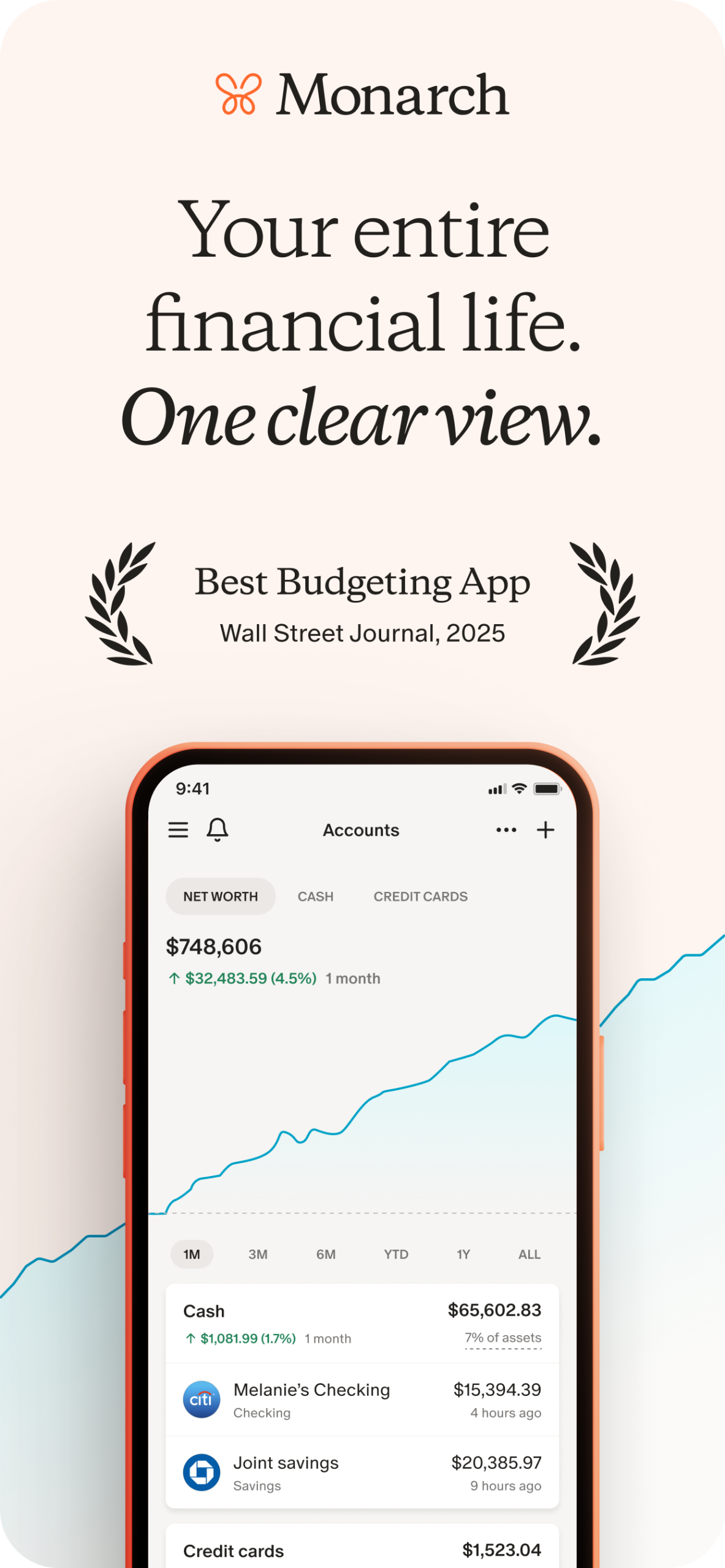
Monarch (also known as Monarch Money) is a modern budgeting app designed to give you a complete overview of your finances. It works by aggregating your bank, credit card, loan, and investment accounts in one secure dashboard, so you can always see where your money is and where it’s going. Users who want detailed control over their budgets—especially couples or families—find it especially useful. Unlike many free finance apps, it offers a clean, ad-free experience with robust features: two budgeting styles (category-based or flexible), visual reports, goal tracking, bill/subscription monitoring, and unlimited sharing with partners or advisors at no extra cost. Its popularity comes from high user ratings, strong security (bank-level encryption, read-only access), and endorsements by major publications (Wall Street Journal, Forbes, Motley Fool).
Quick Information Table
| Developer | Monarch Money, Inc. |
| Category | Finance / Personal Finance / Budgeting |
| Platforms | Android, iOS (iPhone & iPad), Web |
| Current Version | 2.0.100 (as of June 2026) |
| Initial Release | 2020 (app launch) |
| Pricing | Free 7-day trial; then $99.99/year or $14.99/month |
| Availability | US and Canada only (supports USD and CAD) |
| Languages | English |
| Security | Bank-grade encryption; two-factor auth; read-only account connections; no data selling |
| Official Website | monarch.com |
| Help Center | help.monarch.com |
| Last Reviewed | June 2026 |
Monarch Money App Statistics
- Users/Downloads: Over 500,000 Android downloads (as of 2026) with high user ratings (4.9★ on iOS with 96K ratings).
- Ratings: 4.9★ (App Store) / 4.8★ (Google Play).
- Availability: US & Canada only.
- Supported Countries: United States, Canada.
- Developer: Monarch Money, Inc. (Founded in 2018; app launched in 2020).
- Release Year: App first released in 2020.
Key Features of Monarch App
- Account Aggregation: Connects with 13,000+ financial institutions using providers like Plaid, Finicity, and MX. Your checking, savings, credit cards, loans, retirement accounts (and even cryptocurrency via Coinbase) can all sync automatically. This means you see every balance and transaction in one app, updated in real time.
- Transaction Tracking & Management: Pulls in every transaction and auto-categorizes spending using AI. You can review, edit, or tag transactions and mark them as “Reviewed” to stay organized. Recurring expenses are detected and shown in a calendar or list view, helping you avoid missed bills and manage subscriptions. A global search lets you find any transaction across all accounts.
- Flexible Budgeting: Offers two budgeting styles (Category Budgeting and Flex Budgeting) to fit your planning needs. You can set spending limits for specific categories or let money roll over flexibly between fixed and variable expenses. Visual progress bars, customizable categories (with emojis), and alerts keep you on track. Any unused budget “rolls over” to the next period, giving you flexibility and reducing pressure.
- Collaboration: Invite family, partners, or household members to your Monarch account at no extra cost. Each person gets a separate login but can view and contribute to the shared finances. This collaborative feature is ideal for couples planning budgets together. You can also invite advisors or tax professionals to view your financial picture and offer guidance.
- Goal Planning: Create and track medium- and long-term financial goals (down payments, emergency fund, vacations, etc.). Allocate a portion of your monthly cash flow to these goals directly within your budget, and watch your progress over time. This helps turn aspirations into actionable targets.
- Visual Reports & Dashboards: Provide rich visualizations (charts, graphs, timelines) to help you understand your money. The customizable dashboard can display widgets for net worth, budget progress, recent transactions, investment performance, and upcoming bills. Drag-and-drop layout allows you to tailor the interface to what you care about. For example, you can hide sections or reorder widgets so that your most important information is front and center.
- Bill & Subscription Management: It automatically detects recurring subscriptions (such as streaming services or gym memberships) in your transaction history. It flags upcoming bills so you can plan. While Monarch can’t cancel subscriptions for you, it makes it easy to see and review all ongoing recurring charges.
- Security & Privacy: It uses bank-grade encryption for all data in transit and at rest. You can enable two-factor authentication (2FA) for login. The app never stores your login credentials; it connects via trusted data providers, so the app only has read-only access to your accounts. Importantly, it does not sell your financial data or show ads, unlike many free budgeting apps. Your subscription fee is the only revenue model.
Supported Devices
- Android: Compatible with Android smartphones and tablets (Android 6.0+ recommended). Available on Google Play.
- iPhone & iPad: iOS app requires iOS 15.1 or later (works on iPhone and iPad).
- Web: Fully accessible via web browser on Windows, Mac, or Linux at app.monarch.com. Changes sync instantly across web and mobile.
- Other Platforms: No dedicated apps for smartwatches or TV. (It supports Apple Vision OS per the App Store compatibility, but core use is on phone/tablet/web).
Monarch is designed to keep your data in sync across all devices: anything you do in the iOS/Android app appears on the web version and vice versa.
How to Download the Monarch App
- Android: Open Google Play on your device and search for Monarch: Budget & Track Money, or use this link. Tap Install. The app is free to download (with in-app subscriptions).
- iPhone/iPad: Open the Apple App Store and search for Monarch: Budget & Track Money, or follow this link. Tap Get to download and install. It’s free to install (offers in-app purchases for subscriptions).
- Desktop (Web): Go to monarch.com or app.monarch.com in your browser. You can sign up and use it entirely on the web—no download needed. The desktop and mobile experiences are fully integrated.
- Official Sources: Always use the official website or app stores to download it. Avoid third-party sites. The official links (above) are the safest way to get the real Monarch app.
How to Set Up the Monarch App
By following these steps, you’ll have a fully set-up account ready to manage your finances.
- Create Your Account: After installing or opening Monarch, sign up with your email address. You’ll verify your email and choose a password. (You can also sign up via Apple or Google on mobile.)
- Connect Your Accounts: Upon first login, it prompts you to link a financial account. Tap Add Account (or use the “Connect accounts” option). Choose your bank, credit card, loan, or investment provider from the list. It uses secure data providers (Plaid, MX, Finicity) to pull in your data. Log in to your bank when redirected – the platform never sees your credentials. Add all your main checking, savings, credit cards, and loan accounts. For complex households, link accounts for both you and any partner.
- Handle Connection Issues (if any): If Monarch has trouble connecting to a bank, you can try a different data provider. On the connection screen, look for a link like “Having issues?” to switch from Plaid to MX or Finicity. This often fixes stubborn accounts. The platform also has a public Connection Status Dashboard to check if a particular institution is down.
- Set Up Budgets: Once your accounts are connected, go to the Budget section. Choose between “Category” and “Flex” budgeting styles (both can be used interchangeably). Create budget categories (Groceries, Utilities, etc.) and assign planned amounts or flex balances. It will track your spending against these budgets automatically. Set up recurring budgets for known income or expenses.
- Invite Household Members: In the app’s Settings or Household menu, invite your spouse, partner, or family members to your Monarch household. They’ll get their own login but can view and contribute transactions to the shared accounts. This way, everyone stays aligned on joint finances. There’s no extra cost to add members under one subscription.
- Enable Features: Explore optional settings like two-factor authentication for extra security. Enable notifications or email alerts for things like budget limits or upcoming bills. The platform may also offer to import past transactions or account history, which you can skip or do later.
- Review Dashboard: Finally, check your Dashboard to see key info at a glance: net worth, recent transactions, upcoming bills, budget progress, etc. Customize the dashboard layout by dragging widgets. Make sure each linked account is syncing correctly (you can refresh accounts manually if needed).
- Explore Tutorials: Monarch’s Help Center and in-app chatbot can guide you. The “Getting Started” guide suggests step-by-step tasks (connect accounts, categorize transactions, create budgets, set goals). There are also video walkthroughs available for visual learners.
How to Use the Monarch App
By exploring the following sections, users can effectively track income and spending, adjust budgets as life changes, and plan for future expenses using Monarch’s features.
- Dashboard Overview: After setup, your Dashboard shows your total net worth (sum of all account balances), a snapshot of budget progress, and any alerts (e.g., budget limits or upcoming bills). You can rearrange or hide widgets on the dashboard to highlight what’s important.
- Transactions: Go to the Transactions tab to see every purchase, deposit, or transfer from all your linked accounts in one list. The app auto-categorizes transactions; review and correct categories as needed. You can search for merchants or amounts to quickly find specific charges. Transactions can be “marked as reviewed” to acknowledge you’ve checked them.
- Budgeting: In the Budgets section, view each budget category’s progress. Colored bars show how close you are to your limit. If you overspend in a category, the platform will indicate it. You can edit your budget amounts anytime. If using Flex Budgeting, review your fixed, flexible, and non-monthly balances for the month.
- Calendar & Bills: A calendar view lists upcoming bills and subscriptions that Monarch detected (e.g., monthly auto-payments). This helps you see due dates and avoid missed payments.
- Goals: Use the Goals tab to create savings goals (e.g., “Vacation Fund – $2000”). Set a target date and amount, and the app will track your progress as you add money toward it (via allocated budget amounts).
- Reports: The Reports or Insights section includes charts and graphs. For example, you can view spending by category or by account, trends over time, and net worth history. These visuals help identify where your money goes each month.
- Household View: If you invited others, each person’s accounts appear in a shared view. Under Household or People, you can see transactions marked by each member. This helps split shared expenses or track who made a purchase.
- Settings: In Settings (or Profile), you can adjust account names, reconnect a bank (update login), enable two-factor authentication, and manage your subscription or notifications.
- Mobile vs Web: The mobile app and web interface are nearly identical. Actions (like categorizing a transaction or changing a budget) sync instantly across devices. If you add something on your phone, it appears on the web immediately (and vice versa).
- Data Export: The platform allows export of transaction data if needed (via CSV). Look for the Export option under your account settings or transactions page if you want to get your data out.
Common Uses of Monarch App
Monarch app is a versatile tool used for many real-world financial scenarios:
- Budgeting for Couples/Families: Many use it to manage household finances together. By sharing accounts, partners get a complete view of all spending and can coordinate budgets (e.g., “Our joint groceries budget is $500/month”). It replaces complex paper budgets or multiple apps.
- Net Worth Tracking: Individuals who want to monitor their overall financial health use it to track net worth. Link savings, investments, mortgages, and debt accounts so Monarch shows your net worth change over time. This is helpful for long-term planning like retirement or paying off a mortgage.
- Subscription Management: Users with many subscriptions (streaming, gym, clubs) use Monarch’s recurring expense detection to avoid forgotten charges. The app flags upcoming renewals so you can cancel unused services and save money.
- Goal Planning: People planning for big events (vacation, home down payment) use the Goals feature to allocate part of each month’s savings toward that goal. This helps turn vague wishes into concrete targets.
- Expense Analysis: Freelancers and small business owners often link multiple accounts (personal and business) to get a single picture of cash flow. Monarch’s reporting lets them see total spending by category (e.g., “I spent $2000 on equipment and $500 on subscriptions this quarter”).
- Debt Management: Those with loans or credit card debt can track payments on this platform. By entering loan accounts, the app shows updated balances, and you can set budgets for extra payments, aiding debt payoff.
- Mint/Yodlee Refugees: After Mint’s discontinuation (“Mint-pocalypse”), many former Mint users and Quicken fans adopted Monarch. Reviews note that the platform connects more reliably and offers a richer UI. One reviewer said, “Mint shutting down was a blessing in disguise. Monarch is way better, and the connections are way more reliable than Mint.”
- General Financial Awareness: Even casual users who just want to see all accounts in one place love the app’s interface. With features like automatic categorization and alerts, it helps users identify unnecessary spending, making budgeting less of a chore.
Pricing
Monarch operates on a subscription model, reflecting its comprehensive feature set and security focus:
- Free Trial: New users get a 7-day free trial with full access to all features. You won’t be charged if you cancel before the trial ends.
- Subscription Plans: After the trial, Monarch offers two plans:
- Annual Plan: $99.99 per year (approximately $8.33/month). This is the best value and includes the first week free.
- Monthly Plan: $14.99 per month.
(Pricing is in USD. In the US and Canada, these plans are billed in USD or CAD accordingly.) The App Store listing confirms these as the in-app purchase options.
- Family Sharing: You can add multiple household members under the same subscription at no extra charge. For example, a couple sharing finances pays only one subscription fee.
- Money-Back Guarantee: It offers a 30-day money-back guarantee after signup. If you’re not satisfied, you can request a refund (even after payment) by contacting support.
- Discounts: Occasionally, Monarch runs promotions (e.g., 30% off first year with a code). Check the official site’s pricing page for any current offers.
- No Free Tier: Unlike apps like Mint or Credit Karma, it has no permanently free version. Once your trial ends, you must subscribe to keep using it. This paid model supports Monarch’s ad-free, privacy-focused approach.
Privacy & Security
Monarch takes user privacy and security seriously:
- Encryption: All data transmissions use TLS/SSL encryption. Within the app, sensitive information is encrypted so that your financial details are protected both in transit and at rest.
- Read-Only Access: When you connect a bank or credit account, Monarch only obtains read-only access via the data provider. This means it can see your balances and transactions, but it cannot move money or make transfers. In practice, even if someone accessed your Monarch account, they wouldn’t be able to change or withdraw any funds.
- No Credential Storage: It never stores your actual bank login credentials on its servers. Connections use OAuth or other secure methods, and the credentials go directly to the bank’s provider. Monarch money app only receives a token to access data.
- Two-Factor Authentication (2FA): You can enable 2FA for your login. This adds an extra layer of security, requiring a code from your phone or email when signing in.
- Data Privacy: The platform’s business model does not involve selling your data. According to their policy, they never sell personal or financial information to advertisers. There are no ads or affiliate links in the app. The company makes money solely from your subscription fees, aligning its interests with your privacy.
- GDPR/CCPA Compliance: Monarch’s privacy policy outlines user rights. For example, you can request to see what data they have or request the deletion of your personal data. (The App Store notes that “You can request that data be deleted”.)
- Encrypted Storage: Any personal information (name, email, etc.) and financial data in Monarch’s system is stored encrypted.
- Safety Features: Monarch’s help center recommends enabling app-level security (PIN, fingerprint, Face ID) to protect the app on your device. On mobile devices, you should lock the app with your phone’s biometric or passcode options.
Pros & Cons
| Pros | Cons |
| Consolidates all accounts (bank, credit, loans, investments) into one dashboard. | It requires a paid subscription (starting at $99.99/year), which may be a barrier for budget-conscious users. |
| Offers both detailed category budgets and a simple cash-flow (flex) budget, including rollovers and alerts. | Aside from the trial, there is no permanently free plan—unlike alternatives like Mint or Honeydue. |
| Bank-level encryption, two-factor auth, and read-only access; no ads or data selling. | The app has many features and customization options. New users might find it overwhelming initially. |
| Invite partners, family members, or advisors for free under one account. | It does not include automatic savings transfers or subscription cancellations (unlike Rocket Money’s Smart Savings). These must be handled manually. |
| Customizable charts and reports help you analyze spending and net worth. | A few users report occasional problems connecting to certain institutions. (Solution: try switching data providers or manually refreshing.) |
| Available on iOS, Android, and web with seamless sync. | Not ideal for budgeting strictly by cash, since it’s designed around linked accounts. Manual cash entries can be more cumbersome than apps built for cash envelopes. |
The trade-offs: Monarch excels at comprehensive tracking and flexibility, but you pay for it. If you’re OK with a subscription and want advanced features, Monarch is strong. If you need a simple free app or heavy automation (e.g., auto-subscription cancellation), you may consider other options.
Tips & Tricks
These tips can help you get more out of the Monarch Money app and avoid common pitfalls.
- Switch Data Providers for Stubborn Accounts: If an account won’t connect or sync, the app lets you try an alternate provider. For example, if you first connected via Plaid, try MX or Finicity instead. This often resolves sync issues without waiting on support. In the web app, use Add Account → Other Connections to switch providers for a specific institution.
- Refresh All Accounts: Occasionally, some transactions may lag. From the Institutions settings (Add Accounts page), click Refresh All to force a full sync. You can also refresh individual accounts if needed.
- Use Categories and Rules: Take advantage of Monarch’s rules feature: set up automatic categorization rules (e.g., all Amazon purchases → “Shopping”) to speed up your workflow. Go to Settings → Rules to create these. Over time, the app learns and applies rules to past transactions too.
- Customize Budgets: If you’re not strict about zero-based budgeting, try Flex Budgeting. Group expenses into fixed, flexible, and non-monthly. This can feel more forgiving than category budgets. You can switch styles anytime (The platform remembers your budgeted amounts).
- Tag Transactions: Beyond categories, use Tags (in Settings → Tags) for extra organization. For example, tag transactions with “Work” vs “Personal” or project names. Tags can help filter reports.
- Hide Unused Accounts/Categories: If you have accounts or budget categories you no longer use, hide them in Settings. This declutters the dashboard. For accounts: toggle “Hide” on the Institutions page. For categories: disable or reorder in Settings → Categories.
- Enable Notifications: In Profile/Settings → Notifications, turn on alerts for overspending or low balances. Monarch app can notify you of unusual spending or upcoming bills via email or push notifications.
- Invite an Advisor: If you have a financial planner, share your Monarch with them. The app has a built-in Advisor Directory. Invited advisors see all data (with your permission) and can help you plan.
- Budget Splits: If you use joint bank accounts, tag or note which partner paid for shared transactions. This keeps clarity in a shared household view.
- Leverage Calculators: Monarch’s website offers extra tools (financial health, debt payoff calculators). Use them to complement the app.
- Explore Roadmap and Updates: The platform publicly posts upcoming features on its roadmap. If a feature you want is missing (e.g., specific report, integration), suggest it. Also keep the app updated—Monarch frequently adds new tools and improvements.
Common Problems & Solutions
- My bank account won’t connect/keeps disconnecting: This is often due to the bank’s site or data provider. First, go to Institutions Settings in Monarch and try “Connect with Different Provider”. If that fails, log in to your bank’s site to ensure credentials are correct, then try adding the account again. Check Monarch’s Connection Status Dashboard for known outages. If all else fails, you can manually add it as a “manual account” (for cash, etc).
- Transactions are missing or outdated: Try refreshing. In the web app Institutions page, click Refresh All. Also, ensure you have the latest login: update credentials under each account’s menu. Check that Monarch shows the last sync date (it should have updated the same day). If issues persist, the problem is likely on the bank’s side or the provider’s. You can retry after some time or contact support.
- Budget or balances seem incorrect: Make sure transactions are categorized correctly (uncategorized income/expenses can skew budgets). Also verify that all accounts are included in your budgets. If an account’s balance looks wrong, re-sync that account or delete and re-add it (Monarch doesn’t lose past transactions when re-adding). If net worth is off, recall that net worth = sum of balances: check for duplicate or hidden accounts.
- Forgot password/can’t log in: On the login screen, tap “Forgot password” and enter your email to reset it. You’ll receive a reset link (you may need to check spam). If that doesn’t work, clear the app cache or try the web app. As a last resort, use Monarch’s Help & Support to submit a ticket.
- How do I cancel my Monarch subscription? In the Monarch app or web, go to Settings → Billing. There you can cancel your subscription. If you’re still in the free trial, canceling before it ends means you won’t be charged. If after purchase, your service will continue until the next billing date. (The app may redirect to Stripe or the App Store to manage subscriptions, depending on how you signed up.) If you have trouble canceling, contact support.
- How do I delete my account or data? Monarch’s privacy controls let you request deletion of personal data. To completely close your account, it’s best to reach out to support from within the app (Help → Contact Support) and ask to delete your account. You may want to export any data you need first (CSV export is available in Settings).
- Monarch app not working/crashing: Ensure you have updated to the latest version on your device. Try logging out and back in. If crashes persist, reinstall the app. For the web, clear the browser cache or try a different browser. Check System Status for any ongoing issues. If problems remain, contact support.
- Can I use Monarch offline? Not really. The platform relies on the internet to sync accounts and display reports. Some parts (like viewing cached budgets or settings) might work offline briefly, but generally you need an online connection to refresh balances and sync transactions.
- Is my data safe? As noted, Monarch uses strong encryption and read-only access. You can enable two-factor authentication for extra safety. Monarch’s Privacy Policy (and Apple’s App Privacy) explain data use. The company does not sell your financial data.
- How do I contact support? If you’re logged in, click Help & Support in the app or web dashboard. You can chat with the AI helper or submit a ticket. If you cannot log in, go to the Monarch Help Center and use the “Contact Us” form. Their support team aims to reply within 24 hours, though occasional delays occur.
If these steps don’t solve your problem, the Monarch community subreddit and official help center have guides and tips for troubleshooting most issues.
Alternatives
If the Monarch Money App doesn’t fit your needs, consider these alternatives:
| App | Description / Key Features | Pricing (USD) | Best For |
| You Need A Budget (YNAB) | Focused on zero-based budgeting with 4 rules. Encourages assigning every dollar a job. Offers very granular control. | $14.99/month or $109/year (34-day trial) | Serious budgeters who want rigorous planning. (Steeper learning curve.) |
| PocketGuard | Simplified budgeting. Shows “In My Pocket” amount after planned expenses. Identifies recurring charges. | $4–$6/month (Premium ~$74.99/year) | People who want a quick overview of spendable money and built-in savings. |
| Goodbudget | Envelope-style budgeting app. Virtual envelopes for categories. | Free version (1 user, limited envelopes); $74.99/year for full version | Families needing simple envelope budgeting, including the cash envelope method. |
| Honeydue | Designed for couples. Joint finances app with optional privacy controls. | Completely free | Couples who want to share finances easily (no web app; mobile only). |
| Rocket Money (formerly Truebill) | Focuses on subscriptions and bills (auto-canceling unused subs, negotiation). Basic budgeting tools. | Free basic; Premium $6–$12/month | Those who want to trim subscriptions and bills, not heavy on manual budgeting. |
| Mint | Free finance app from Intuit (being discontinued in favor of Mint by Grasshopper). Automated categorization, credit score tracking. | Free | Users who want a no-cost solution and basic budgeting. (Has ads/promos.) |
| Simplifi by Quicken | Simplified Quicken for budgeting/investing. | $5/month (often discounted) | Users who prefer a lighter Quicken or a retiring Mint alternative. |
When to choose another app: If you prefer a completely free app or need specialized features (like envelope budgeting, automatic savings, or bill negotiation), one of the above might suit you better. Monarch Money app is best if you’re willing to pay for advanced customization, strong security, and unlimited sharing. For example, couples on a budget might try Honeydue or Goodbudget (free options), while detail-oriented budgeters might prefer YNAB’s zero-based approach. Rocket Money is handy if trimming subscriptions is your priority. Always consider the trial period to test if an alternative meets your style.
Frequently Asked Questions
How do I download the Monarch Money app?
For Android, download Monarch: Budget & Track Money from Google Play here. For iPhone/iPad, get Monarch: Budget & Track Money from the App Store here. You can also use the web version at app.monarch.com on any computer. Always use the official links to avoid scams.
Is it free?
No. Monarch offers a 7-day free trial but requires a paid subscription after that. There is no permanent free version of the app. During the trial, you have full access to features. Afterward, it charges $99.99/year (billed annually) or $14.99/month. The app comes with a 30-day money-back guarantee if you cancel soon after subscribing.
How much does Monarch Money cost?
Monarch costs $99.99 per year when you pay annually, or $14.99 per month if you choose the monthly plan. These prices are for U.S. customers. (Canadian users pay the equivalent in CAD.) The in-app purchase options in the App Store also list $15.99/month in some regions. Remember, your first week is free, and you can cancel before paying.
Does it have a free trial?
Yes. New users get a 7-day free trial with all features unlocked. You can cancel anytime during the trial, and you won’t be charged. If you keep it after the trial, you’ll automatically start the paid subscription you chose (annually or monthly). Monarch even offers a money-back guarantee: if you subscribe and then decide it’s not for you, you can request a refund soon after.
On which platforms can I use Monarch Money?
Monarch is available on Android (Google Play), iOS (iPhone and iPad on the App Store), and any web browser. The mobile apps require newer OS versions (e.g., iOS 15.1+ for iPhone/iPad). There are no special Windows or Mac apps; instead, you log in via the website. All devices sync with your account, so data entered on one device appears on others.
Where is Monarch Money available?
Currently, it is only available to users in the United States and Canada. It supports accounts in USD and CAD. Users outside these countries generally cannot connect to local banks, and Monarch advises against it until they expand.
How do I cancel my subscription?
You can cancel at any time. If you signed up via the website, log into Monarch and go to Settings → Billing to manage or cancel your subscription. If you subscribed through the App Store or Google Play, you may need to cancel through your Apple or Google account subscriptions. Canceling during the free trial ensures you’re not charged. If you cancel after billing, you keep using it until the end of the paid period.
How do I update my Monarch Money app?
On mobile, app updates are handled by Google Play or the App Store. Enable automatic updates or check the store and tap “Update” next to Monarch. There is no separate update for the web version. The App Store shows the latest version (e.g., 2.0.100 as of June 2026).
Why is my Monarch Money not working / not syncing?
Connection issues can occur if your bank changed its login process or if the data provider is temporarily down. To fix it, try these steps: refresh your accounts (Institutions page → Refresh All); update your bank login in Monarch’s settings; or reconnect the account using a different data provider (Plaid, MX, or Finicity). Also check the public Connection Status for any outages. If problems persist, you may have to contact support or re-add the account.
How do I invite my partner to Monarch Money?
Monarch allows unlimited household members under one subscription. To invite someone, go to Settings (or the Household tab) and find the invite option. Enter your partner’s email to send them an invitation. They will create their own login and then be able to link accounts into the shared view. Both of you can then see the combined finances. (This is free; there’s no extra charge for additional users.)
What if I use cash or want to manually add transactions?
You can create “manual accounts” in it for cash or credit card accounts that don’t support connections. Then you can add transactions yourself. However, Monarch’s strength is in automatically fetching data, so manual entry is limited.
How do I reset my password?
On the login screen, click “Forgot Password” and enter your email. You’ll get a reset link by email. Follow it to create a new password. If the link doesn’t arrive, check your spam folder. Alternatively, you can reset your password from the web at app.monarch.com/reset-password.
How do I delete my account?
Monarch’s help site suggests contacting support to delete your account. In the app or web dashboard, go to Help & Support and submit a ticket asking for account deletion. (Before doing so, export any data you need—Monarch supports data export on the Accounts page.) Deleting your account will erase your personal and financial data from the platform.
How do I change the login or update bank credentials?
If you change your bank password, go to Monarch’s Institutions settings. Click the “…” or edit icon next to the linked bank account and choose Update Login Settings. This will prompt you to re-enter your bank credentials securely, re-establishing the connection.
Can I use Monarch Money without linking a bank?
You need at least one account linked to start using Monarch. It’s possible to use a single manual account (for example, to track cash or a loan), but you won’t benefit from syncing unless you link actual financial accounts. The whole premise of the platform is real-time syncing, so linking at least a checking or credit account is recommended.
How do I contact Monarch Money support?
In-app, click Help & Support (usually on the left menu). You can use the chatbot or submit a support ticket. If you’re logged out, you can visit the Help Center and use the “Submit a Request” link. Support is typically via email and aims to respond within 24 hours. Some users on Reddit note support can be slow, so check your inbox and spam folder.
Why should I trust Monarch Money with my data?
Monarch uses the same level of security as major banks (encrypted connections, secure tokens, etc.). It has no free ad-supported tier, meaning it earns revenue only from subscriptions, so it is not incentivized to sell your data. The privacy policy explicitly states that they do not sell user data. For peace of mind, it also offers two-factor authentication and lets you delete your data on request.
Can I use Monarch Money offline?
It requires an internet connection for its core features. You need to be online to sync accounts or update transactions. Some basic info (like budgets and past data) might be cached for brief offline use, but you should plan to use Monarch when connected so it can update with real-time data.
How do I fix common errors (e.g., “Unable to connect” or blank screen)?
If Monarch fails to load or shows errors, first try refreshing (pull-to-refresh in app) or logging out and back in. Check your network connection. For “unable to connect” messages, try force-quitting and reopening the app. Ensure no firewall is blocking the app. If an account won’t connect, see earlier tips about switching data providers. As a general fix, reinstalling the app often resolves weird glitches.
What is the benefit of the Monarch app vs Mint or other free apps?
Unlike Mint, the Monarch app is ad-free and does not use your data for marketing. It tends to have more reliable connections (many users report fewer sync issues than with Mint) and offers deeper customization (multiple budgeting methods, goal tracking, advisor sharing). Mint is free but shows credit card and investment ads and doesn’t support features like two-budget styles or collaborative financial planning.
Is there a Monarch Money app on Mac or PC?
There is no standalone Mac or Windows app. Instead, use the web browser version (desktop site). The mobile app runs on iPhone/iPad and Android.
Does Monarch Money support multiple currencies?
Monarch is built for USD and CAD accounts. You can link accounts from the US or Canada. It’s not designed for multi-currency mixing or accounts in other countries. All your US/CAN accounts will display balances in their native currency.
I have a financial advisor. Can they use Monarch?
Yes. Monarch has a Professionals program. You can invite your advisor to your account for free, or advisors themselves can use it to collaborate with clients. The advisor gets a view of your shared data to provide guidance.
How do I remove a bank account from Monarch?
Go to Settings → Institutions (Accounts page). Select the account and choose Remove or Disconnect. This will unlink that account from Monarch. (Your historical transactions for that account will also be deleted.)
How do I delete a transaction?
On the web, go to the account, find the transaction, and click “Delete”. On the mobile app, tap the transaction and choose “Delete Transaction.” You can also add custom transactions by using the “Add Transaction” option on an account page.