

Jackpocket App
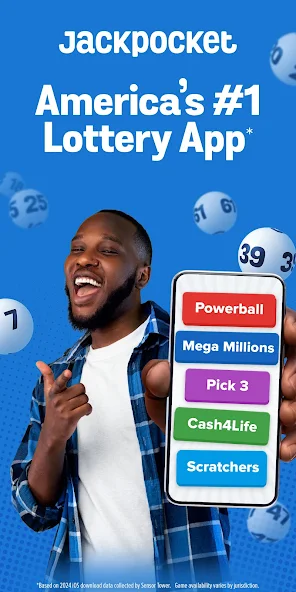
✓ Verified AppJackpocket is a smartphone lottery app that lets you legally order official state lottery tickets (Powerball, Mega Millions, etc.) on your phone. It buys the ticket from a licensed retailer for you, stores the paper ticket securely, and sends you a scanned copy. Jackpocket then notifies you of any winnings – small prizes are credited to your in-app wallet, and large jackpots come via the physical ticket.
What is the Jackpocket App?
Jackpocket app is essentially a lottery courier service for smartphones. Licensed in its operating states, it bridges the gap between official state lotteries and mobile users. When you place an order in this lottery app, the company’s operators buy an official lottery ticket on your behalf at a licensed brick-and-mortar retailer in your state. It then scans the ticket and shows you the image in the app, which serves as proof of your ownership (including the ticket serial number). The paper ticket is kept securely in a fireproof safe until needed.
Jackpocket ensures legality and compliance. It verifies each user’s age and identity and uses geolocation to make sure orders are placed only when the user is physically within a state where lottery play is allowed. Legally, it’s no different than if you asked a friend to buy you a ticket. The company holds an associate membership with lottery industry bodies and has certifications for responsible gaming. This means the app operates under state regulations and oversight, not as a gambling site itself.
Jackpocket was founded in 2013 as the first licensed third-party lottery courier in the U.S. Over time, it expanded from New York/New Jersey to 17 states (plus DC and Puerto Rico). It was acquired by DraftKings in 2024, further bolstering its resources.
Verified App Badge: ✔ (4.7★ user rating on App Store)
Three Trust Signals:
- A+ BBB Rating: It holds an A+ rating from the Better Business Bureau, reflecting strong customer support and compliance.
- Major Endorsements: Coverage and reviews by USA Today, TechCrunch, Forbes, etc. (linked on Jackpocket’s site) help show credibility.
- Safe & Legal: It is the first licensed lottery courier in the US, and DraftKings (a publicly traded company) completed its acquisition of Jackpocket in May 2024.
Who Should Use the Jackpocket app?
Lottery players who want convenience, especially those who have busy schedules or mobility issues, often use Jackpocket. It appeals to both casual players and jackpot hunters who want to play responsibly. Because it stores the ticket and alerts you to results, it’s useful for anyone worried about losing tickets or forgetting to check draws.
Problem It Solves
It removes the need to stand in line or remember to buy tickets physically. You can play the lottery safely from home, see your ticket digitally, and never miss a draw. It also automatically notifies you of winnings and helps users claim prizes (crediting small wins immediately and mailing big wins).
Why is the Jackpocket App Popular
Jackpocket app offers one of the fastest, most convenient ways to play major lotteries. Major media endorse it and have millions of downloads. Users praise its ease-of-use and time-saving nature. It’s backed by DraftKings (a well-known gaming company) and has a high user rating (4.7 stars on iOS). As of late 2025, the platform’s customers have won over $1 billion in prizes through the app, demonstrating its legitimacy.
Quick Information Table
| Field | Details |
| Developer | DraftKings LLC (acquired Jackpocket; originally Jackpocket Inc.) |
| Category | Entertainment (Lottery) |
| Platforms | Android, iOS (iPhone & iPad), Web (jackpocket.com), Apple Watch (limited features) |
| Current Version | iOS v3.3.0 (Aug 11, 2025); Android v3.3.0 |
| Initial Release | 2013 (New York launch) |
| Pricing | Free to download; no ticket markup. Users pay face value + a small service fee on deposits |
| Availability | USA only – available in 17 jurisdictions (AZ, AR, CO, DC, ID, ME, MA, MN, MT, NE, NH, NJ, NY, OH, OR, PR, WV). Not available in states like TX, CA, FL |
| Languages | English, Spanish |
| Security | Licensed & regulated; age/identity verification required; SSL encryption for transactions; ticket scans emailed and stored securely in a fireproof vault |
| Official Website | jackpocket.com |
| Help Center | Email: support@jackpocket.com |
| Last Reviewed | June 14, 2026 (based on the latest app updates and stats) |
Jackpocket App Statistics
- Downloads: 1+ million installs (Android + iOS combined) – Jackpocket was the top-downloaded lottery app in 2023. (Apple shows 229K ratings; Google Play is similar.)
- Active Users: Millions of U.S. players (DraftKings reports rapid user growth, especially under 45).
- Total Prizes Awarded: Over $1 billion in lottery prizes (as of Oct 2025).
- Jurisdictions Available: 17 US states + DC & Puerto Rico.
- Languages: English, Spanish.
- Developer: Jackpocket (DraftKings LLC).
- Release Year: 2013 (launched in New York in 2013).
- Industry: Digital Lottery Courier App (Entertainment category).
The above data is from official sources (app stores, press releases) or credible industry reporting. Where precise numbers weren’t public, we rely on the most recent statements by the company.
Key Features
- Lottery Games (Drawings): Order tickets for major multi-state draws (Powerball, Mega Millions) and state-specific draw games. The app lets you pick your numbers or use Quick Picks. You can buy up to 50 future drawings in advance. It covers all official lottery games available in each launched state.
- Scratch Tickets: In select states, you can also order state lottery scratch-off tickets through the app. You then “scratch” the tickets digitally on your phone to reveal any small prizes. The app scrapes each scratch card into the app for you.
- SuperPick: A one-tap shortcut for quickly choosing an entire set of numbers (all standard and special balls) in Powerball/Mega Millions. If you like to play “system” entries, this feature makes it fast.
- Smart Order (AutoPlay): Schedule automatic ticket purchases for your chosen game, so you don’t miss any drawings. For example, you can set Jackpocket to auto-buy a ticket for Powerball every week.
- Digital Tickets & Notifications: The app sends you a digital scan of each purchased ticket and an email receipt (with serial number). When results come in, the app automatically checks your tickets. If you win, you get push/email alerts. Small prizes are immediately credited to your Jackpocket account; large prizes result in the mailing of the physical ticket to you.
- Lottery Pools: It offers group pools for big drawings (Powerball/Mega Millions). You can chip in with others to buy more tickets and agree to split any winnings. Pools increase your chance of winning.
- Loyalty & Rewards: The Jackpocket Dynasty loyalty program rewards players with points and “Lottery Credits” for play and referrals. These credits can be applied towards ticket purchases. Referral bonuses (free credits for inviting friends) are also available.
- Winners Blog: It highlights player success stories in its “Winners” blog (e.g., 1,000,000+ winners, jackpots won via the app). While not a feature per se, it demonstrates that users do win big prizes through Jackpocket.
- Jackpocket Casino: As an extra, it has launched a separate iGaming app with casino games (slots, blackjack, bingo, etc.) under the Jackpocket brand. This is distinct from the lottery service but may interest users who enjoy casual gaming. (Note: Casino app is separate and subject to local iGaming laws.)
- Responsible Gaming Tools: It provides resources and limits to promote safe play (self-exclusion, deposit limits, links to support hotlines). It is certified for responsible gaming practices.
- Ease of Use: The interface is user-friendly with clear buttons to pick numbers, check results, and manage your account. Many users comment that it makes lottery play “fun and convenient”.
Supported Devices
- Android: Google Play Store download. Android phones and tablets (Android 8.0+ typically).
- iPhone: App Store download (iOS 16.0+ required).
- iPad: Compatible (the App Store shows iPad support).
- Mac: The iOS app supports Mac (Apple Silicon/Mac Catalyst) as indicated on the App Store “Mac” tab.
- Web: A web portal (jackpocket.com or lottery.jackpocket.com) allows account access and ticket ordering on a browser, although some features may be app-exclusive.
- Apple Watch: There is an Apple Watch extension for quick ticket checks and alerts (as seen on the App Store’s Watch tab).
- TV/Vision: The App Store shows “Vision” and “TV” support – likely meaning Apple TV (tvOS) and Vision Pro (visionOS) compatibility. These would let you view results and tickets on those devices.
- Windows/Android Wear: No dedicated Windows or Android Wear versions; use the Android app on mobile.
How to Download
- iPhone/iPad (App Store): Open the App Store, search “Jackpocket”, and tap Get. Or use the direct link: Apple App Store – Jackpocket Lottery App. The app is published by DraftKings LLC.
- Android (Google Play Store): Go to the Google Play Store, search “Jackpocket,” and tap install.
- Desktop/Web: You can also access Jackpocket via the web by visiting jackpocket.com or lottery.jackpocket.com. The web portal has links to download the apps and may allow ordering tickets in some states.
- Official Sources: Only download the app from the above official links. Do not trust third-party app stores or download sites to avoid scams.
How to Set Up
- Open the App: Launch Jackpocket after installing.
- Create/Log In: Sign up with your email, phone number, or social login. You must be age 18+ (19 in NE, 21 in AZ) and physically located in an approved state. Provide any required verification (ID or selfie) to confirm your identity and age; this is mandated by law.
- Add Payment: Fund your Jackpocket account. You can deposit via bank (ACH/eCheck), debit/credit card, or PayPal. (Note: some banks block gambling-related apps; if so, try PayPal or a different card.) The minimum deposit is typically $5, and you’ll see any service fee upfront.
- Choose State (if needed): The app auto-detects your location. Ensure location services are on and that no VPN is used; Jackpocket requires proof you’re in an eligible state each time you order.
- Explore Features: Familiarize yourself with the games list. You can browse draw games and scratch tickets (where available). Try the “SuperPick” shortcut for lotto numbers or set up a Smart Order for auto-play.
- Link Accounts: (Optional) Connect a rewards or loyalty email as prompted to earn Dynasty Credits.
How to Use the Jackpocket Lottery App
- Select a Game: Tap on a lottery game (e.g., Powerball, Mega Millions, Pick 3) from the main menu.
- Pick Numbers: Either choose your own numbers or hit Quick Pick for a random set.
- Set Quantity/Drawing: Decide if you want one ticket or multiple, and whether to buy for multiple drawings. The app will show the price and any fees before you purchase.
- Purchase Ticket: Tap Buy Ticket. You will immediately see a high-res scan of your ticket in the app. You’ll also receive an email with the ticket serial number as proof.
- Check Ticket: Under “My Tickets,” you can view saved scans. This is your proof of purchase.
- Check Results: After the drawing, Jackpocket checks your numbers automatically. If you win a small prize (usually <$600), the app will credit it to your account balance. You can then withdraw those funds to your bank or use them to buy more tickets. For larger prizes, Jackpocket will mail you the physical ticket for redemption.
- Claim Prizes: If you win, follow the in-app instructions. It also guides on claiming by mail if needed.
- Get Notifications: Keep notifications turned on. It will notify you on draw days and if your tickets win.
Tip: You can invite friends via the app to earn bonus credits. Use those credits on future ticket buys! Also, check the “Responsible Gaming” section to set any deposit/play limits if desired.
Common Uses
- Powerball & Mega Millions Jackpots: Many users primarily use Jackpocket to conveniently enter big multi-state draws.
- Local State Games: In states where this app operates, you can play local lotteries (e.g., Texas Lotto, Ohio Cash 5, etc.). It’s useful for daily games when you can’t get to a retailer.
- Scratch-offs from Home: In states like Arizona, Oregon, etc., the app lets you try scratch-off tickets virtually – no messy paper needed.
- Missed Draw Catch-up: If you forgot to buy a ticket for last night’s drawing, Jackpocket’s Smart Order or multi-draw feature ensures you never miss again.
- Ticket Tracking: Users who want to keep better track of their plays (no lost tickets) rely on the app’s history and notifications.
- Lottery Pools with Friends: Some people use it to run shared pools – everyone chips in via the app and splits any winnings, easier than physical pooling.
- Responsible Play: If you’re a casual player, Jackpocket’s reminders and limits can help you play safely without overspending.
Pricing
- Free to Download: The Jackpocket app is free to install on Android and iOS devices.
- Service Fee: It charges only a small service fee when you deposit funds (usually a few dollars per $100). This fee is clearly shown before you deposit. There are no extra fees on top of the ticket price and no fees when you withdraw winnings.
- Ticket Costs: Lottery ticket prices are the same as in-store (e.g., $2 for Powerball). Jackpocket does not charge more for tickets. You pay the ticket price + service fee + any state-required taxes/fees.
- Promotions: New users often get promotional credits (e.g., “$10 bonus with $5 deposit” offers via referral codes or promotions) – terms and availability vary.
- In-App Purchases: There are no additional in-app purchases except promotional credit packs. All lotteries and features (like Pools, scratchers) are accessible with your deposits.
Privacy & Security
- Data Security: The Jackpocket app encrypts your data and transactions. Each order includes a locked record (ticket image with serial number) to prove your purchase. The paper tickets are kept in a secure, fireproof vault.
- Permissions: The app will request access to your location (to verify state boundaries) and to send you notifications. You can revoke other permissions (e.g., contacts) without affecting gameplay.
- Data Collection: According to the developer’s disclosures, the Jackpocket app collects certain user data (location, identifiers, financial/payment info, and usage data) for functionality, fraud prevention, and optional personalized marketing. It does not sell your data to outsiders.
- Responsible Gaming: It follows industry best practices – it requires user age verification and provides tools like deposit limits and self-exclusion. They also link to problem-gambling hotlines (1-800-GAMBLER, etc.) as part of their commitment to safe play.
- Privacy Policy: The Privacy Policy (on their site) explains all data practices and user rights. You can review it for details on data handling. Overall, as a regulated lottery courier, Jackpocket’s security measures (certified by third parties) are robust.
Pros & Cons of the Jackpocket Lottery App
| Pros | Cons |
| ✅ Order lotto tickets anytime from home or on the go. | ❌ Only works in 17 states (plus DC & PR), not nationwide. |
| ✅ Licensed and regulated; stores tickets securely; BBB A+. | ❌ Some banks block gambling apps; you may need PayPal or an alternative payment. |
| ✅ Digital ticket scans and win notifications mean you never miss a win. | ❌ There is a small service fee on deposits (though clearly disclosed). |
| ✅ Wide variety (Powerball, Mega, daily draws, scratch-offs, etc.). | ❌ Support is only via email or in-app (no 24/7 phone line). |
| ✅ Features like SuperPick, Smart Order, pools, and loyalty rewards enhance play. | ❌ Some users reported issues after app updates (login errors, lost history). |
| ✅ Age/location checks and problem-gambling resources built-in. | ❌ Must be online and have location on (no offline mode). |
| ✅ Enables play in big lotteries without going out. | ❌ A minority of users report account or payout issues (Jackpocket offers recourse). |
Tips & Tricks
- Enable Location: Always allow the Jackpocket app to access your device’s GPS. It must confirm you’re in an eligible state for each order. No VPN or location spoofing.
- Use Auto-Play: Turn on Smart Order for your favorite games so you never forget a draw. For example, auto-buy Powerball every week.
- Join a Pool: Increase your odds by joining Powerball/Mega Millions pools via Jackpocket. Remember, winnings will be split among members.
- Check Dynasty Rewards: Earn loyalty points and credits. Link your email and opt in for promotions.
- Browser Desktop: If you prefer a larger screen, use the web portal at lottery.jackpocket.com (secure) on your desktop. You can still order tickets there.
- Payment Prep: If a card is declined, try PayPal or an eCheck. Keep alternative funding methods ready in case of bank blocks.
- Save History: Note your numbers outside the app too. In rare cases of app errors, having your past selections written down can help.
- Claim by Mail: For bigger wins, you can often claim lottery prizes via mail (Jackpocket advises this). Follow state instructions and Jackpocket’s guidance to claim without visiting an office.
- Stay Updated: Keep the app up to date. After DraftKings integration, updates may reset settings. If something breaks, reinstall or contact support.
- Responsible Play: Set spending limits in the app settings (if available) to manage your lottery budget.
Common Problems & Solutions
- “Something went wrong” login error: Reinstall the app and log in again. If the problem persists, contact support.
- Cannot deposit funds: If your bank blocks the deposit (common with Chase, BofA, etc. on gambling apps), try linking PayPal or using an eCheck/debit card instead.
- Account locked/closed: This often results from verification issues. Ensure your ID info matches your account. If locked, email support. Some users reported trouble after the DraftKings update – be patient and ask for the status.
- Location issues: If the app won’t let you order, enable location services and disable any VPN. Jackpocket app validates your GPS location each time.
- Lost winnings or tickets: App’s terms guarantee users receive 100% of prizes. If a win isn’t credited, contact support with the ticket scan. Major wins (>store limit) require mailing the ticket. Jackpocket must send it to you legally.
- App not installing on Android: Go to Jackpocket’s Android install page and follow the instructions (allow installs from unknown sources).
- App crashes or glitches: Make sure your device meets system requirements (Android 8+/iOS 16+). Clear the cache or reinstall if needed. Reach out to support with screenshots if persistent.
Jackpocket’s FAQ and Help Center have many specific fixes. For unresolved issues, email support@jackpocket.com or use the in-app chat; always include your account email and details.
Alternatives
- Lottery.com (Lotto.com): Another app-backed lottery courier. Available in some states, with similar ticket scanning. Some users report mixed experiences.
- State Lottery Apps: In states like North Carolina (doLottery) or Illinois (Lottery Spot), the official lottery has online apps. These are state-run, but often more limited (no multi-state jackpots). Use these if Jackpocket isn’t available.
- Retail Purchase: The traditional way – buying at a store. No convenience, but guaranteed.
- Other Third-Party Services: Some companies are emerging (e.g., Lottery5000, Jackpocket’s own “Jackpot” casino app for games). Always check legality in your state.
Use alternatives if: This app doesn’t operate in your state, you prefer an official state app, or you experience persistent technical issues. When choosing, compare fees, available games, and trustworthiness.
Frequently Asked Questions
What is Jackpocket?
Jackpocket app is a licensed lottery courier app. It lets you order official state lottery tickets (Powerball, Mega Millions, state games) via your phone. It buys the ticket for you from a retailer, sends you a scan, and stores the paper ticket securely. Small winnings go to your app account; big ones are mailed to you.
How do I download the Jackpocket app?
- iOS: Open the App Store, search “Jackpocket Lottery App,” and tap Get.
- Android: Go to the Google Play Store and search for “Jackpocket” Lottery App. When you see the app, install it.
Is Jackpocket safe and legit?
Yes. Jackpocket is fully licensed in its operating states and is not a scam. It was founded in 2013 and has an A+ BBB rating. Your tickets are official state lottery tickets. It is required by law to deliver your winnings or ticket. Multiple news outlets and the parent company DraftKings vouch for its legitimacy.
How do I sign up?
Download the app and register with your email/phone. You’ll need to provide your name, address, date of birth, and a government ID (driver’s license, etc.) to verify age (18+) and identity. Also enable location services so the app can confirm you’re in a permitted state.
How do I add funds?
In the app, tap “Add Funds” or “Deposit.” You can link a bank account, debit/credit card, PayPal, or use e-check. Enter the amount (minimum $5). You’ll see the exact service fee before confirming. Note: Some banks block gambling transfers. If your deposit fails, try PayPal or another card.
Is the Jackpocket app free?
The app is free to use. You only pay for lottery tickets and a small service fee on deposits. There is no subscription. You keep 100% of any winnings.
Where is Jackpocket available?
It works in 17 states (and DC/PR) as of mid-2026. These include AZ, AR, CO, DC, ID, ME, MA, MN, MT, NE, NH, NJ, NY, OH, OR, PR, and WV. If you live outside these, the app will not let you play. You can sign up to be notified when Jackpocket expands to your state.
How do I update the Jackpocket app?
- iOS: Updates happen via the App Store. Go to your App Store updates.
- Android: Update via Google Play Store.
Why is Jackpocket not working?
Common issues:
- Location: Make sure GPS/location is enabled and accurate.
- Out of State: You can’t play if you’re not physically in a supported state.
- VPN: Disable any VPN or location-masking.
- Old Version: Update the app.
- Cache: Try force-quitting and reopening the app, or reinstalling.
If problems persist, contact support.
How do I delete my Jackpocket account?
Deleting is not directly available in-app. You must email support@jackpocket.com and request account closure. (This is not common, so keep your money out or withdraw before deleting.) Always withdraw any remaining balance before closing.
How do I reset my password?
On the login screen, tap “Forgot password.” You’ll receive a reset link at your registered email. If email isn’t arriving, check spam.
How do I contact support?
Jackpocket’s support is via email and in-app chat. Email support@jackpocket.com or tap “Help” in the app. Mention your account email and issue. Note: no direct phone support is offered; response times can vary.
How do I uninstall Jackpocket app?
On iOS: long-press the app icon and delete. On Android: uninstall via settings or the Home screen. Uninstalling does not close your account or refund money – withdraw first.
Is it free?
Yes, Jackpocket has no download or subscription fee. You only pay for lottery tickets (at face value) plus a service fee on deposits.
Is Jackpocket safe?
Yes. It uses secure encryption and licensed retail purchases. All ticket transactions are official. Privacy is maintained per DraftKings’ policy. The app has been audited and certified for security by independent labs.
Can I use Jackpocket offline?
No. Jackpocket app requires an internet connection and location services to function. All orders and results are processed online.
How do I fix deposit errors?
Ensure your payment method is accepted. Try the same deposit amount after a few minutes. If declined by card, switch to PayPal or a linked bank (ACH). Check for error messages. If nothing works, contact support.
How do I fix login errors?
If you see “something went wrong,” try reinstalling the app and then log in. Make sure you’re using the same email/phone. If it still fails, reach out to support; do not create a duplicate account (Jackpocket forbids that).
Can I change my phone or number?
If you switch phones, log in with your account, and it should sync. If you change your number, email support so they can update your profile. Do not create a new account – multiple accounts for one user violate the rules.
What happens if I win?
Jackpocket emails and notifies you of wins. Prizes under the state’s claim threshold (often $600) go straight to your app wallet. You can withdraw or reinvest them. For larger prizes, Jackpocket mails you the actual ticket to claim directly from the state lottery.
Is Jackpocket legal?
Yes. It operates under state lottery regulations as a courier service. It is not gambling itself; you are buying real lottery tickets. Each transaction occurs through authorized retailers. Jackpocket’s processes are certified by gaming regulators.
How much does it cost?
The app is free. Each ticket costs its face value (e.g., $2 for Powerball) plus a small service fee on deposits. There are no hidden fees or commissions on prizes.
Why is my account closed?
Accounts can be closed if they violate terms (e.g., location fraud, multiple accounts). If Jackpocket closes your account, they should refund any eligible balance. Contact support or your state lottery if you dispute it.
How do I withdraw money?
In the app, go to your wallet and choose “Withdraw.” Follow prompts to send funds to your bank account or PayPal. Withdrawals may take a few business days. No withdrawal fees are charged by Jackpocket.
How do I update payment info?
In the app’s settings or wallet section, you can delete old cards/banks and add new ones. For Android, press and hold a payment method to remove it.
Is there a referral program?
Yes. You can invite friends via the app. When a friend signs up with your code and funds their account, you each get bonus Lottery Credits to use on tickets. Check the app’s “Refer” section for your personal code.
How do I fix common errors?
Most errors come with messages. Common fixes: restart the app, check connectivity, reinstall if needed, and ensure location is on. For login issues, see above. For deposit issues, switch payment method. For any persistent bug, contact support with screenshots.