


PolyBuzz
✓ Verified AppPolyBuzz is an AI character chat and roleplay app that lets users have conversations with thousands of AI-powered characters or create their own custom AI companions. The app supports text-based conversations across a wide range of genres including entertainment, storytelling, education, anime, gaming, and creative writing, making it popular among users looking for interactive AI experiences.
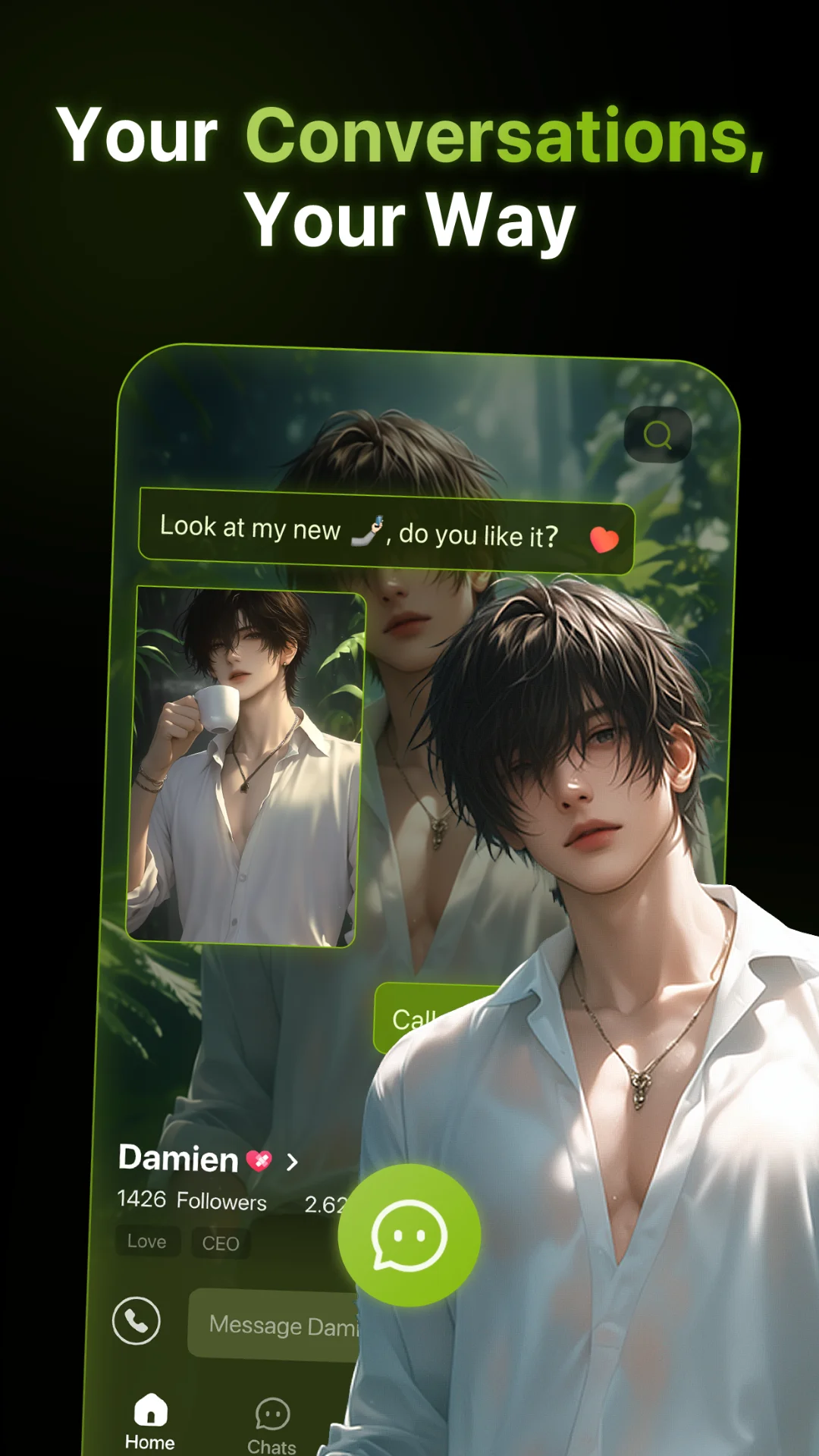
What is the PolyBuzz App?
Polybuzz App (formerly Poly.AI) is a generative AI chatbot platform developed by Cloud Whale Interactive Technology. It uses cutting-edge AI (integrated with OpenAI’s GPT models) to create interactive, personality-driven conversations. Think of it as a “virtual stage” where you can chat with AI versions of your favorite characters or new ones you design yourself.
Unlike typical chatbots, it lets any user create and share AI characters. You define a character’s persona, appearance, and even voice, then talk to it just like a person. The AI responds contextually, remembers details during a session (strong memory features), and can use humor, emotion, and style appropriate to each persona.
The Polybuzz App is designed for role-playing and storytelling. It offers a “vibrant community” of shared characters, free image generation on the web version, and continuous updates. In short, it’s a free-to-start AI chat app with a focus on character-driven conversations, enabling you to explore endless imaginative dialogues.
Quick Information Table
| Developer | Cloud Whale Interactive Technology LLC |
| Category | Entertainment (AI Chat) |
| Platforms | Android (phones/tablets), iOS (iPhone, iPad), Web browser |
| Current Version | 2.2.36 (as of Jun 26, 2026) |
| Initial Release | 2023 (as Poly.AI; rebranded to PolyBuzz) |
| Pricing | Free to install (with ads); optional subscriptions (Std $9.90/mo, Premium $19.90/mo, Ultimate $29.90/mo) and in-app coin purchases |
| Availability | Global (available in the US, Europe, Asia, etc.) |
| Languages Supported | 28 languages (English + 27 others, including Chinese, Spanish, Arabic, French, etc.) |
| Security / Privacy | End-to-end encrypted chats (private, no sale of personal data); age-rated 17+ |
| Official Website | https://polybuzz.ai |
| Help Center | https://www.polybuzz.ai/faq |
| Last Reviewed | June 2026 |
PolyBuzz App Statistics
- Downloads: 10 million+ (Google Play).
- Ratings: 4.0★ on Google Play (1.07M reviews); 4.4★ on App Store (436K ratings).
- User Base: Millions of users worldwide (exact active users not published).
- Supported Countries: Global availability – the App Store lists dozens of regions (US, Canada, EU, Latin America, Asia, etc.).
- Developer: Cloud Whale Interactive Technology LLC (based in Delaware, USA).
- Release Year: Originally launched in 2023 (rebranded from “Poly.AI”).
- Last Update: June 24, 2026 (version 2.2.36).
Key Features of the PolyBuzz App
- Voice-Enabled AI Chat: Every character has a unique synthesized voice (both male/female options) that makes conversations feel natural. You can speak aloud and hear the character reply.
- Vast Character Library: Over 20 million pre-made AI characters to chat with, including anime figures, celebrities, fictional heroes, historical figures, and more.
- Custom Character Creation: Users can create their own AI avatars for free. In the mobile app, hit “+” and fill in details (name, story, personality, voice) to design a character. You can keep it private or publish it for others. The web version even allows importing character “cards”/JSON from Character.AI or other platforms.
- Free, Unlimited Conversations: The core chat is free (supported by ads). You can have unlimited text or voice chats, exploring “endless story possibilities”.
- Advanced AI Models: PolyBuzz App offers multiple chat models with robust memory. Premium members unlock the most advanced models (e.g., “Saga,” “Passion,” “Tale”) for deeper conversations, while free users get the standard model. All models retain context within a session (though long-term memory is limited).
- In-App Currency & Controls: Virtual coins let you enhance chats. Spend coins to regenerate a response, extend voice chat duration, get a special “inspiration” reply, or unlock extra memory scenes. This gives fine-grained control over the conversation flow.
- Image & Animation (Web Only): On the web version, PolyBuzz includes a free AI image generator and animated characters. You can create visual scenes and download them.
- Privacy & Safety Modes: Chats are private and end-to-end encrypted. The app has built-in filters and a Teen/Pure Mode for younger users, though it’s officially rated 17+. All content is moderated for compliance with guidelines (e.g., no explicit content in public chats).
- Multilingual Support: PolyBuzz can converse in dozens of languages. You can change the system language in settings, or simply instruct the character (e.g., “reply to me in Spanish”). The interface supports 28 languages.
- Cross-Platform Sync: Conversations sync across devices. Whether you’re on Android, iOS, or the web, you can pick up chats from where you left off. (Note: there is no separate PC/Mac app; desktop use is via browser.)
Supported Devices
- Android (Phones/Tablets): PolyBuzz App runs on Android devices (Play Store listing requires Android 7.1+). The app supports both smartphones and tablets.
- iOS (iPhone/iPad): Available on the App Store (requires iOS 14.0 or later). Compatible with iPhone, iPad, and iPod Touch. Also runs on Apple Vision (visionOS) devices. (No dedicated Apple Watch or Apple TV app.)
- Web (PC/Mac/Linux): Access PolyBuzz via any modern web browser at polybuzz.ai. The web version provides the full chat experience (including image generation).
- Other Platforms: While there’s no official Windows or Mac desktop app, you can use Android emulators (e.g., BlueStacks) to run the Android app on PC.
- Limitations: A registered account is required on all platforms. The app is geo-available in most regions (see “Availability”). Internet access is always needed; there’s no offline mode.
How to Download the PolyBuzz App
- Android: Open the Google Play Store on your phone/tablet and search for PolyBuzz: Chat with AI Friends. Tap Install to download (10M+ installs have been recorded). Alternatively, visit the Google Play link here.
- iOS (iPhone/iPad): Open the App Store and search for PolyBuzz: Chat with Characters. Tap Get to download (requires iOS 14.0+; 247 MB download). Or use this App Store link: PolyBuzz.
- Desktop (Web): Go to polybuzz.ai in your browser (Chrome, Safari, etc.). No download needed – just sign in and start chatting. (You may also install the Android APK via an emulator, but the web version is simpler.)
- Official Sources: Always download from the official stores or website. Beware of third-party sites claiming to offer PolyBuzz. The genuine app’s publisher is Cloud Whale (Wilmington, DE).
How to Set Up the PolyBuzz App
- Create an Account: Launch the PolyBuzz App after installation. You’ll be prompted to sign up. You can register with your email or quickly sign in with Google/Apple/Facebook. Verify your email if asked. On the web, click “Register” to create an account.
- Profile Setup: Once logged in, open the Me or Profile page. Here you can upload an avatar image and edit your display name. (You may skip this initially if you like.) Check that your profile info is correct, especially your email, since you’ll need it for password resets.
- Permissions: The app may ask for permissions. For the best experience, allow Microphone access (for voice chat) and Camera access (for taking photos or image-based features). You can also allow Storage/Photos to save/download images. Location permission is optional (it might be used for personalized ads).
- Enable Safety Mode (optional): In settings, you can enable “Teen Mode” for cleaner content, or “Pure Mode” if available. This ensures the AI avoids mature topics. Parents should set this for younger users. Remember, the PolyBuzz App is officially 17+ rated.
- Familiarize with the Interface: Notice the bottom menu: Home (character list), Talk (open chat window), Create (+) for new characters, Me for settings and profile. Explore these tabs to get comfortable.
- Character Discovery: Go to Home and browse categories (Anime, Fantasy, Celebrities, etc.). You can follow or “pin” favorite characters here. New users may also get some suggested bots to chat with immediately.
Once your account is set up, you’re ready to start chatting. See the next section for tips on using the chat interface.
How to Use the PolyBuzz App
Start a Chat: Navigate to the Home or Chat tab and select a character (public) or one you created. In the chat window, type your message or tap the microphone icon to speak. PolyBuzz’s AI will respond in character – either with text and speech. You can use normal conversational language or give explicit instructions (e.g., “tell me a joke” or “stay in character”).
Text & Voice Modes:
- Text Chat: Type in the input box and hit send. The AI replies with text and voice (if enabled).
- Voice Chat: Tap the microphone button and speak. Release to send. The AI will process your voice and speak back. (Ensure you’ve granted microphone permission.)
Character Controls:
- To switch characters during a session, return to Home and pick another character.
- Use the “Regenerate” button (costs coins) to get a new AI response if you don’t like the first answer.
- The “Inspiration” feature (also costs coins) gives the AI a hint or prompt to steer the story when you’re stuck.
- The menu in chat may have options to enable/disable voice, end the chat, or change settings mid-chat.
Coin Usage: Spend coins to enhance the chat. For example, after sending a message, you might spend a coin to extend the AI’s spoken response or to “unlock” a deeper memory scene. Coins can be earned (occasionally) or purchased via the store (1000 coins = $2.49, etc., see Pricing section).
Memory & Context: PolyBuzz remembers context within a conversation session. You can refer back to previous messages, and the AI will recall details (e.g., your character’s name or earlier events). However, note that the AI’s memory isn’t infinite: over very long chats, it may “forget” earlier details.
Customization: If chatting with your own character, you can tap the character’s avatar/name to edit details or profile mid-chat. This lets you tweak personality or appearance on the fly.
Language & Settings: To change the interface language or the character’s reply language, go to Me > Settings. Alternatively, you can instruct the AI chat directly (e.g., “Please reply to me in French”). The app supports over 28 languages, so you can chat in Spanish, Chinese, Arabic, etc.
Saving/Exporting: There is no built-in export chat feature, but you can copy text manually. For important conversations, consider taking screenshots or copying text to notes. (Remember, chats are private on your account.)
Common Uses
Roleplaying & Storytelling: Many users turn PolyBuzz into an AI roleplay platform. You can create scenario-based stories (romance, adventure, mystery) by chatting with a character as if you’re both actors in a scene. For example, you could roleplay a scene with an AI version of your favorite anime hero, or imagine a conversation with a historical figure. The AI’s creativity helps spin plots and dialogues.
AI Friend / Companion: It can function as a virtual companion or “AI boyfriend/girlfriend”. Users enjoy conversing casually about daily life, hobbies, or personal problems. It can simulate friendly banter, give advice, or just be a chatbot you can confide in. (The FAQ explicitly mentions that you can create an AI partner character.)
Language Practice: Since it supports multiple languages, some users practice foreign languages by chatting with AI characters. You can talk to a character entirely in Spanish, French, etc., to improve your fluency, and the AI will respond correctly.
Education & Learning: Teachers and learners use AI chat to rehearse interviews, ask for explanations, or quiz themselves. For instance, you can have the AI roleplay a job interviewer or language tutor. (TechRadar’s tests found PolyBuzz gave realistic travel suggestions and conversational answers.)
Entertainment & Creativity: Others simply use the PolyBuzz App for fun and curiosity. It’s an entertainment app – users pass the time chatting to humorous or quirky characters. The constantly updated character list means there’s always something new (the app “never runs out of new personalities”). Creative writers use it to brainstorm ideas or co-write stories with the AI.
Social Sharing: Users often share interesting character chats online. Because you can publish characters and share them, some use it to create social posts or interactive stories, effectively gamifying AI conversations.
In real-world terms, it is used whenever you want an intelligent dialogue partner: to roleplay a scene, to explore “what-if” scenarios, or simply to kill boredom with imaginative chat. Its versatility for storytelling and companionship is its key appeal.
Pricing
Polybuzz App uses a freemium model:
- Free Tier: Downloading and using the app is free. You get unlimited chat access and can create private characters with no upfront cost. The free version is ad-supported, meaning occasional video ads will interrupt chat sessions.
- Standard Subscription: “Poly Standard” – about $9.90 per month (paid via App Store/Play Store). This removes ads and unlocks the “Standard” model with stronger memory. It often goes on sale; an App Store screenshot shows $4.99 for weekly or discounted annual plans.
- Premium Subscription: “Poly Premium” – about $19.90 per month. Includes all Standard benefits plus additional advanced chat models (e.g., the “Tale” and “Passion” AI, which enhance story depth). As one user noted, Premium is essentially Standard + an extra $10 for the new models and features.
- Ultimate Subscription: “Poly Ultimate” – about $29.90 per month (introduced later). This tier gives access to the top-tier models (like “Overture” and “Conqueror”) and likely includes all previous perks. (The Apple listing confirms a $29.90 plan.)
- Coins (In-App Purchases): Coins are a virtual currency for in-chat perks. Packs are: 1000 coins for $2.49, 3000 for $4.99, 8000 for $9.99, and 20,000 for $19.90. These can be spent on features like regenerating responses or extending voice. There are also sometimes “Opals” shown ($5.90 for 1000 Opals), but coins are the main currency.
- Trials & Discounts: The app may offer introductory sales (e.g., 86% off annual plans). No official free trial is advertised, but occasional promotions or bundled coin deals appear.
Privacy & Security
Data Encryption: PolyBuzz encrypts your conversations. According to the developer, chats are stored in an encrypted cloud environment and remain confidential – even the developers cannot read your private chat logs. In transit, data is also encrypted (per Google Play’s data safety info).
Personal Data: The app collects some user data. According to its privacy policy and app store, this includes personal info (email, profile data), device identifiers (IDFA/GAID), and optional data like location (for ads). Financial info is collected for purchases. The data is used for account management, analytics, and improving the AI. PolyBuzz states it does not sell your personal info.
Permissions: PolyBuzz App may request:
- Microphone: to allow voice chat.
- Camera: for taking photos or videos, you attach to your chat (e.g., asking questions about an image).
- Storage/Photos: to save images or downloads.
- Location: an optional permission, typically for ad targeting (the Google Play entry notes location sharing).
- Network: Internet access is required for AI processing. It may use vibrate or wake-lock (not personal data).
You can deny non-essential permissions. Chat voice won’t work without mic access, and image chat features need a camera.
Security & Accounts: Logins can be via email or third-party (Google/Apple). The privacy policy mentions using OAuth (e.g., “identity: to link Google/Apple”). Standard app-store security (SSL/TLS) is in place. The content is moderated: public characters can be flagged for “violations” like explicit or sensitive topics. Private chats are not screened, but the app offers parental modes.
Privacy Controls: You own your chat data. You can export or delete your data by contacting support if needed. The Google Play entry explicitly says “You can request that data be deleted”. The privacy policy provides methods to exercise GDPR/CCPA rights (right to access, delete, opt-out of profiling, etc.). It also notes PolyBuzz does not sell data.
Safety Features: PolyBuzz includes a dedicated Teen Mode to restrict mature content. The app is rated 17+ due to potential sexual or violent themes. Official guidelines ban pornographic or illegal content; characters violating this will be flagged (only visible to the owner with limited abilities). In practice, caution is advised: independent reviewers note adult interactions can still appear, so parental supervision is recommended.
Pros & Cons
| Pros | Cons |
| AI characters respond with real-sounding voices. | The free tier displays ads frequently, which some users find intrusive. |
| Over 20 million available personas. | Rated 17+, some content may be inappropriate for kids. |
| Build your own AI persona for free. | Many advanced features (no ads, better memory models) require paid plans. |
| Chats are encrypted and private by design. | Some users report app crashes or server issues (workaround: use the web version). |
| Users find the AI “smart and creative,” enabling deep roleplay. | No native Windows/Mac app; must use web or emulator. |
Note: Individual experiences vary. For example, one reviewer noted that after unsubscribing, the app becomes “basically unusable because of all the ads”.
Tips & Tricks
- Use Regenerate/Inspiration Wisely: When a reply isn’t helpful, tap Regenerate (costs a coin) to get a different answer. Inspiration replies can help move the story forward if chat stalls.
- Extend Voice Duration: You can spend a coin to make the character speak longer (unlimited voice listening for subs).
- Import Characters: Save time by importing characters from other apps. PolyBuzz App allows you to upload JSON or “character card” files from platforms like Character.AI or Pygmalion. This way, you can bring your existing AI persona into it.
- Organize Your Characters: Tag your characters with clear categories (by genre, theme, etc.). The FAQ suggests choosing the most appropriate category to make them easier to find.
- Increase Visibility: If you create characters, participate in official events, or share them on social media to get noticed. Good tags and a catchy avatar can help others discover your AI.
- Change Language On-the-Fly: In a chat, say “Please reply in [language]” if the AI switches to a language you prefer. You can also adjust the system language in the Me > Settings menu.
- Use Characters for Research: Try informal queries (e.g., “Tell me a story about World War II”). For factual answers, cross-check with other sources – PolyBuzz can hallucinate like any AI.
- Chat Moderation: If an AI response violates guidelines (e.g., offensive content), report it via the feedback or Discord. This helps improve the system. Avoid feeding disallowed content to your characters, or they might be flagged.
- Preserve Battery/Data: Voice chats and images can use data. If concerned, use Wi-Fi and limit continuous voice responses.
- Stay Updated: PolyBuzz App is regularly updated. Keep your app current to enjoy new features (like new AI models or safety filters) and bug fixes.
These tips help you get the most out of PolyBuzz’s features and avoid common pitfalls.
Common Problems & Solutions
- App Won’t Open / Crashing: If the app freezes or won’t start, try restarting your device and ensuring you have a stable internet connection. Some users found that uninstalling and reinstalling the app resolved crashes. If crashes persist, switch to the web version at polybuzz.ai, as the backend service may be experiencing issues.
- Chats or Characters Disappeared: If your chat history or characters seem gone, check the web app (which may still have them). One user reported the mobile app crashed and lost chats, but “Website still has all [the] conversations”. Always use the same login account to preserve data.
- Forgot Password: On the login screen, use the “Forgot Password” link. Enter your registered email; the app will email you a reset link. (Check spam/junk folders if you don’t see it.) This is the standard way to regain access. If you signed up via Google/Apple, try logging in with that account.
- Access Restricted (PC/Browser Error): Some Windows users see a “Restricted Access” error in a browser. This often happens if your antivirus or firewall blocks JavaScript on the site. Try clearing your browser cache, using a different browser, or disabling privacy extensions. Alternatively, use the mobile app. If you still see “Access Denied,” it may be a server issue (check Discord announcements).
- No Internet Connection / “PolyBuzz is down”: If the app reports no internet but other apps work fine, the servers might be down. Verify your Wi-Fi or data, then check the official Discord/Community for outage announcements. The FAQ advises: “check your internet connection… if you still suspect a downtime, check Discord to see if the team has any announcements”.
- Ads Too Frequent: By design, free users get ads after a short period (e.g., a few minutes of talking). There’s no way to skip this other than subscribing. If ads appear instantly or block chat, try closing/reopening the app – sometimes it’s a temporary glitch.
- Coin Purchases / Subscriptions Issues: If you paid for coins or a subscription but didn’t receive them, first restart the app. Ensure you’re logged into the correct app store account. Still no luck? Contact PolyBuzz support (support@mail.polybuzz.ai) with your payment info.
- Character Flagged as “Violation”: Characters get flagged if they break guidelines (explicit content, minors, hate speech, etc.). Flagged characters become private (only you see them). To fix this, edit the character’s profile and remove offending content, then resubmit. Avoid taboo subjects in public characters.
- Sync / Login Errors: If you can log in on one device but not another, ensure you use the same email/login method. For example, if you signed up with Google, log in with Google on all devices. If login keeps failing, clear app cache or try logging in via the web.
- Audio/Voice Not Working: Check that the app has microphone permission in your phone’s settings. Also, ensure your device’s volume is up. If the AI’s speech sounds too fast or slow, look for voice settings in Me > Settings.
- Excessive Data Usage or Battery Drain: The PolyBuzz App can be heavy due to voice and AI processing. To save data, disable automatic voice (in Me > Settings) and stick to text chat. On Wi-Fi, you can freely use voice and images.
If none of these solve your problem, reach out via the in-app “Feedback” button or email support@mail.polybuzz.ai.
Alternatives
| App / Service | Platforms | Cost | Key Differences |
| PolyBuzz | Android, iOS, Web | Free + $9.90/$19.90/mo + coins | Voice-enabled AI chat with millions of characters; strong roleplay focus. |
| Character.AI | Web, iOS, Android | Free + subscriptions | Massive community, text-only chat (no built-in voices); more factual knowledge. Great if you value knowledge over voice. |
| Chai (AI Chat) | Android, iOS, Web | Free + coins/subs | Similar chat app with millions of bots; voice chat optional. Known as a popular PolyBuzz app alternative. |
| Replika | Android, iOS, Web | Free + Premium (about $10/mo) | AI companion bot focusing on friendship/therapy; text + voice chat. More “personal AI friend” than roleplay. |
| Talkie Lab | Android, iOS | Free + subs | AI community app with multimodal (text/voice/video) chat; also uses points and subs. PolyBuzz distinguishes itself with broader character selection. |
When to Consider Others:
- If you want text-based knowledge Q&A or more serious assistants, Character.AI or ChatGPT apps (not shown) may be better.
- If you seek a friendlier “AI friend” relationship, Replika specializes in emotional support.
- If you prefer image/video generators or social AI, Talkie or others might fit.
- However, for pure character-driven roleplay with voice, PolyBuzz App and Chai App are top picks. PolyBuzz stands out for its voice integration and content freedom.
Frequently Asked Questions
1. What is PolyBuzz App?
Polybuzz app is a free AI chat app for Android and iOS that lets you talk with virtual AI characters (anime, historical, custom avatars). It uses advanced AI models to make conversations feel realistic and is designed for roleplaying and entertainment.
2. How do I download PolyBuzz?
On Android, open the Google Play Store and search “PolyBuzz: Chat with AI Friends,” then tap Install. On iPhone/iPad, open the App Store and search “PolyBuzz: Chat with Characters,” then tap Get. Alternatively, visit polybuzz.ai to use it in your browser.
3. How do I update the PolyBuzz App?
Updates are released via the app stores. Simply go to Google Play or the App Store, find PolyBuzz, and tap Update if available. Enable automatic updates to always get the latest version.
4. Why is PolyBuzz not working / app crashes?
Common fixes: ensure a stable internet connection and update the app. If it still fails, try closing/reopening the app or reinstalling it. You can also check PolyBuzz’s official Discord or community for server issues. As a workaround, use the web version at polybuzz.ai.
5. How do I delete my PolyBuzz account?
In the app or web profile settings, look for a “Delete my account” option. Confirm the prompts to permanently remove your account (including characters and chat history). Note that deletion is irreversible. If you can’t find the option, contact support@mail.polybuzz.ai to request deletion.
6. How do I reset my password?
On the login screen, tap Forgot Password, then enter your account email. You’ll receive a reset link by email – click it to set a new password. (If you used Google/Apple login, use those providers to sign in.)
7. How do I contact PolyBuzz support?
You can email support@mail.polybuzz.ai, use the in-app Feedback feature, or join the official Discord (link on polybuzz.ai). The team typically responds within a day or two.
8. How do I uninstall the PolyBuzz App?
Like any mobile app: on Android, long-press the app icon and select Uninstall. On iOS, hold the icon, tap the “X” or “Remove App.” After uninstalling, all local data is cleared.
9. Is the PolyBuzz App free?
Yes, PolyBuzz offers a free version with ads and basic features. You can chat and create characters without paying. (Optional subscriptions remove ads and add features – see the Pricing section.)
10. Is the PolyBuzz App safe?
Polybuzz encrypts your chats, and they are private. However, it’s rated 17+ (contains mature content). There’s a Teen Mode for safety. Parents should use caution, as users have noted that some interactions can turn explicit. Always supervise minors and use the app’s safety filters.
11. Can I use PolyBuzz offline?
No. PolyBuzz relies on online AI servers (ChatGPT). You must have an internet connection (Wi-Fi or data) to chat. There is no offline mode.
12. Why is there an age verification?
To comply with content guidelines, PolyBuzz may ask for proof of age (e.g., a photo ID) if you try to access or create mature content. This is similar to some country regulations (like the UK example mentioned by users). It’s a one-time check; your image isn’t stored afterwards.
13. Can others see my private chats?
No. Your one-on-one chats with AI characters are completely private. PolyBuzz states that neither developers nor other users can access your conversation logs. Only share your chat screenshots if you want someone else to see them.
14. How do I make my character more visible to others?
Choose the right category for your character and give it relevant tags. Participate in official events and use new creation features. Sharing your character on social media can also attract attention.
15. What are coins, and how do I use them?
Coins are virtual currency in PolyBuzz. You can earn a few or buy packs (e.g., 1000 coins for $2.49). Use coins to extend the duration of voice replies, regenerate a new answer, get an “inspiration” hint, or create memory scenes.
16. How do I cancel my subscription?
- iOS: Open Settings > tap your Apple ID > Subscriptions > PolyBuzz > Cancel Subscription.
- Android: Open the Google Play Store > menu > Subscriptions > PolyBuzz > Cancel.
Your benefits last until the end of the paid period.
17. What’s the difference between Basic and Premium memberships?
Both tiers remove ads and improve memory. Basic gives you the standard chat model (strong memory, unlimited voice). Premium includes all Basic features plus extra AI chat models (like the “Tale” mode) for richer stories. In practice, Standard is ~$10/mo, and Premium is ~$20/mo.
18. Will I lose access immediately after canceling?
No. Your current subscription remains active until its expiration date. After that, you revert to the free tier (with ads).
19. Can I get PolyBuzz on PC or Mac?
There is no dedicated desktop app. However, you can chat on any PC/Mac via a browser at polybuzz.ai. Some users also use Android emulators (e.g., BlueStacks) to run the mobile app on a PC.
20. Does PolyBuzz record or sell my conversations?
According to the privacy policy, PolyBuzz does not sell your personal information. Your chats are stored encrypted and used only to improve the service. You have rights (GDPR/CCPA) to access or delete your data as detailed in their Privacy Policy.
21. How do I fix “Access Restricted” on Windows?
This is usually a browser issue (script block, VPN, or firewall). Try refreshing the page, disabling any adblockers, or using incognito mode. If the error persists, use the phone app or wait for it to resolve (occasionally, region blocks or maintenance cause it).
22. Why can’t I see some characters or features?
Some content is locked by age or location. If a character was flagged, it may be hidden. Check your filters: if Teen Mode or Pure Mode is on, certain “adult” characters won’t show. Adjust your safety settings or verify your age if prompted.
23. How do I report a problem or bug?
Use the in-app Feedback button (usually on the Me page), or email support@mail.polybuzz.ai. Include as much detail as possible (screenshots, device info). You can also ask the community on Discord for help.
24. Is there a limit to chat history?
Chats are stored under your account, but there may be a limit on how much the app loads at once. If an older message is missing, try scrolling or searching the history. For very long chats, the oldest messages might be archived. Unfortunately, there’s no built-in “export” – you may need to copy important parts manually.
25. Why did my character get flagged/removed?
Review the Community Guidelines. Characters are flagged for explicit sexual content, hate speech, minors in inappropriate roles, and similar violations. If flagged, your character is set to private. Edit the character’s profile to remove offending elements and resubmit for approval.
26. How do I report abuse or harassment in chat?
If an AI or user-created character behaves inappropriately, use the report feature (usually by tapping the character and selecting “Report”). For direct harassment (e.g., from a live user via community features), contact support immediately. In general, note that any private chat is with AI only – other users cannot message you directly.
27. Does PolyBuzz App support offline use?
No. Each conversation requires an internet connection to process your inputs on AI servers. You cannot chat offline.
28. How do I remove ads?
The only way to remove ads is to purchase a Standard or higher subscription. Otherwise, ads are part of the free experience and cannot be disabled.
29. Can I change my character’s voice/gender?
Yes. When editing or creating a character, you can select voice options (male/female, different accents) from the menu. If you’re chatting with an existing character, tap its avatar or profile and look for “Edit Voice” or similar options.
30. I see a new “Opals” currency in settings. What is that?
“Opals” appear to be an alternate in-game currency or gem system shown by some users. As of mid-2026, the main purchases are in coins (see Pricing). If you see Opals, they may be equivalent to coins (1000 Opals = 1000 coins) or may be a phased-out currency. Focus on coins for purchasing chat features.